
banida digital marketing agency logo
update

Banida digital

update
  • Home
  • Contact Us
  • All Posts
  • Social Media
  • 5-Star Reputation
  • SEO
  • Traffic
  • Funnels
  • Blogging
  • Advertising
  • Website
January 16.2026
14 Minutes Read

Unlock Growth: Google Business Profile Healthcare Secrets Revealed

Did you know? Nearly 85% of patients begin their healthcare search on Google, but if your practice isn’t easy to find, you’re essentially invisible to those looking for help. In a world where trust and first impressions happen online, your Google Business Profile healthcare can be the game-changer that determines whether your practice grows—or gets left behind.

By the end of this guide, you’ll have straightforward action steps to take control of your visibility, reputation, and patient pipeline—no marketing jargon required.

A Game-Changer: Why Every Healthcare Practice Needs a Google Business Profile

For every healthcare practice—large, small, single-specialty, or multi-provider—mastering your Google Business Profile healthcare is no longer optional. It's foundational. Local search has become the first point of contact for most potential patients. When someone types “pediatrician near me” or “urgent care open now” into Google Search, the results are powered by Google Business Profiles (GBPs). These listings show your clinic’s contact information, reviews, photos, hours, and even patient questions—all before someone visits your website. If your business info is missing or out of date, you'll lose out on appearing in those all-important local search rankings.

What’s at stake? Reputation, patient trust, and ultimately, your clinic’s bottom line. A complete, properly managed Google Business Profile healthcare not only helps you show up in local search results—it helps you control the impression you make. It also gives you ways to highlight your team, services, and unique value before a potential patient ever picks up the phone. The stakes for healthcare businesses are even higher due to compliance and privacy needs, so a trustworthy, accurate listing is also a sign of your professionalism. Skipping this step—or phoning it in—means missing out on not just patients, but precisely the right ones you want to serve.

google business profile healthcare modern healthcare clinic exterior inviting friendly staff urban location

What is a Google Business Profile for Healthcare — And Why Is It Essential?

The Basics: Google Business, Business Profile, and Their Role in Healthcare

A Google Business Profile healthcare listing is a free public page created on Google that lets patients find, contact, and learn about your healthcare practice on Google Search and Google Maps. Think of it as your digital front door: it shows your clinic name, address, phone number, website, business hours, and more. For busy patients, it’s often the first—and sometimes only—place they look for information. By providing accurate information, beautiful photos, and trustworthy signals, your business profile bridges the gap between someone searching for care and choosing your practice out of dozens of options.

In healthcare, these profiles hold extra weight because every detail—from whether you accept walk-ins to your current open status—can affect patient decisions and trust. Most healthcare providers already know word of mouth drives volume, but in today’s digital-first world, word of mouth is amplified through online visibility. When your business info is up to date and your listing features clear images, service details, and verified ownership, patients feel confident reaching out. Incomplete, inaccurate, or abandoned business profile listings can erode that trust—sometimes without you realizing it.

How Google Business Profile Healthcare Impacts Patient Choice and Trust

Patients are digitally savvy and cautious about their health choices. When your profile listing consistently displays positive Google reviews, accurate office hours, and up-to-date contact information, it signals legitimacy and reliability. For healthcare businesses, this trust translates into more appointment calls, better online presence, and stronger reputation in local search results. The profile also enables patients to easily compare you to other care providers, read reviews, and see real images of your practice environment—all key factors in their decision-making process.

Ignoring or neglecting your Google Business Profile means leaving your reputation and patient acquisition to chance. On the flip side, practices that invest the time to optimize and maintain their listings often see increased website visits, call volume, and appointment bookings—along with a stream of patient feedback that can guide service improvements. By showing that you’re attentive to your profile and responsive to patients, you demonstrate the professionalism that every modern care provider needs to build lasting patient loyalty.

How Patients Search: The Modern Patient Journey for Healthcare Practices

Why Your Online Presence Makes or Breaks Reputation

For nearly every healthcare practice, reputation is built—and sometimes broken—online. Patients compare options, read reviews, and look for red flags in minutes. If your business profile is unclaimed, incomplete, or outdated, you risk appearing less credible than competitors who keep their contact information, hours, and images fresh. On the other hand, a stellar Google Business Profile healthcare gives you authority and control over how your clinic is perceived. In a mobile-first world, that online presence is not just a nice-to-have, but a necessity for reputation management and patient acquisition.

Consistent, positive online presence boosts local search ranking, increases click-throughs, and helps patients recognize your brand among dozens of alternatives. It’s not just about showing up, but about showing up well. And in an environment where patients often scroll past outdated or incomplete listings, your commitment to maintaining a top-notch business profile listing will set you apart and earn trust before a potential patient ever walks through your door.

Profile Listings: Where Healthcare Practice Visibility Begins

Visibility for any healthcare practice starts with a robust, optimized business profile list—not a fancy website or a big advertising budget. Google’s profile listings appear front and center on local search results, even above many paid ads and organic websites. By claiming and nurturing your profile, you place your practice at the digital crossroads where decisions happen. Especially for multi-location or specialty-specific practices, ensuring every clinic and provider has an accurate, well-managed listing is importnat for maximizing visibility.

What details matter most? A recognizable name, a clear address, an accurate phone number, up-to-date hours, and inviting photos are all key. But equally important is creating consistency across all locations and making sure you appear for specialty-specific searches. Remember, patients making healthcare choices are looking for more than convenience—they’re evaluating reputation, accessibility, and professionalism at a glance. Your Google Business Profile healthcare listing affects every one of those decisions in real time.

Setting Up and Claiming Your Google Business Profile Healthcare Listing

Step-by-Step: Creating, Claiming, and Verifying Your Healthcare Business Profile

Ready to take control of your Google Business Profile healthcare? The process, while straightforward, requires attention to detail to ensure compliance, professionalism, and lasting results. Setting up a Google business profile should be handled carefully by a practice owner, manager, or delegated in-house operations staff member—never by a third-party or general email account. Below are clear steps to get started:

  • Visit Google Business Profile signup page

  • Enter accurate healthcare practice details

  • Choose correct healthcare category for your listing

  • Verify ownership via Google’s process

Double-check your clinic's business info at every step. Accurate name, contact information, and hours will protect your practice from impersonators and help maximize your local search ranking from day one. The verification process may require a physical postcard, phone call, or email confirmation, so be sure to use your official practice contact details and a dedicated work email.

"Verification is required to manage your profile and avoid impersonators. Always use your official practice information and a dedicated practice email."
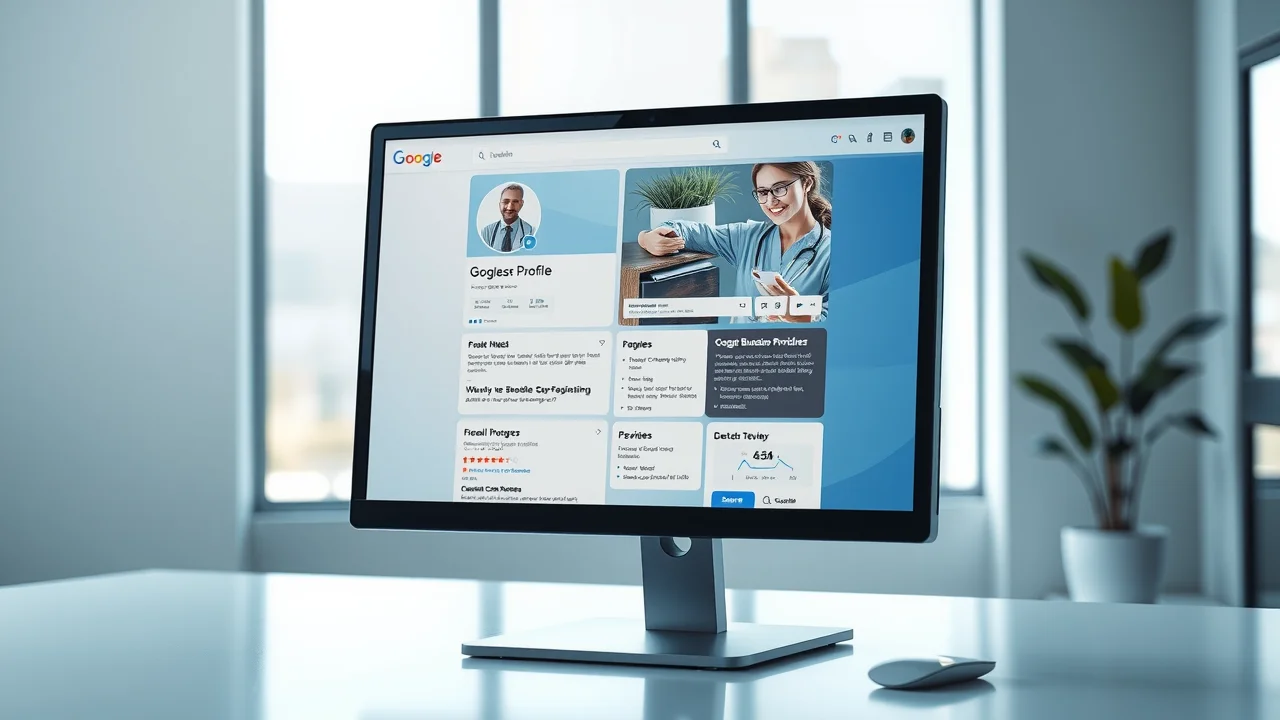
Key Elements of the Perfect Google Business Profile for Healthcare

Accurate Information: Name, Address, Phone, Hours, and Website

The fundamentals can’t be overlooked: consistently accurate information is required for local search rankings. Your Google Business Profile healthcare listing must include the exact name, correct address (matching the one on your site and compliance documents), up-to-date phone number, precise business hours (including holiday closures), and official website link. If any of these details are outdated or inconsistent across the web, you’ll risk confusion, lost patients, and possible compliance headaches—especially with appointment reminders or automated messages.

Google values trust and consistency: even minor changes (like “Ste.” vs “Suite”) can disrupt your search ranking and confuse both patients and search engines. Double-check details on every update, and delegate this responsibility to a team member if needed—mistakes here can lead to real-world lost appointments.

Healthcare Business Categories: What Every Healthcare Provider Must Know

Selecting the right healthcare business category is vital. Google’s system matches search terms with your primary and secondary categories. For example, “urgent care center,” “family practice physician,” or “physical therapist”—each option determines where your practice appears in local searches. Choosing the wrong category (or leaving it generic) can mean missing out on the right potential patients.

Take time to review available category options and assign the most relevant ones. For multi-provider, multi-location clinics, each listing should reflect the specific specialties and services provided at that address. This level of detail supports greater visibility, especially when combined with rich descriptions and consistent keywords like “pediatrics” or “sports medicine” in your business profile list.

Services, Attributes, and Specialties for Healthcare Practices

Go beyond the basics by filling out every possible service, attribute, and specialty for your practice. Whether you offer telemedicine, extended evening hours, or bilingual staff, these attributes help patients filter and find the perfect care provider for their needs. Detail out every service—even if it seems obvious. Patients (and search engines) want to see terms like “flu shots,” “annual physicals,” or “women’s health services” clearly listed.

Listing your insurance providers, amenities (like on-site parking, wheelchair accessibility), and unique specialties will help Google match your practice with highly relevant, local searches, and help patients know exactly what to expect. Remember: more details mean fewer phone calls with repetitive questions and stronger, more accurate patient leads.

Profile Photos: Best Practices for Healthcare Businesses

The visuals you choose for your Google Business Profile healthcare tell patients about your standards and team culture. Authentic, high-quality photos build trust and provide a sense of welcome before a patient steps inside. Prioritize team headshots (with permission), clean shots of your building’s exterior and entry, well-lit interior images, and any service-specific settings—the lab, pediatric room, or physical therapy suite.

  • Team headshots (with consent)

  • Practice exterior & interior

  • Service-specific equipment/rooms

Aim for natural lighting, unobtrusive branding, and no text overlays. Avoid crowded or cluttered photos, and regularly update images (every 6-12 months or after key renovations) to reflect any changes. Visual professionalism is a critical part of the patient experience and makes your business profile listing stand out in local search results.


Maintaining and Optimizing Your Google Business Profile Healthcare Listing

Regular Updates: Why Accurate Information is Non-Negotiable

You wouldn’t let your phone system go offline or let mail pile up at your clinic, so don’t take the risk with outdated business info online. Information in your Google Business Profile healthcare should be reviewed at least quarterly and updated immediately if hours, location, phone numbers, or services change. Practices that maintain active, precise listings consistently outperform in local search ranking and avoid patient frustration.

Assign responsibility to a specific staff member and set calendar reminders for routine audits. Use the “special hours” feature during holidays or emergencies. If staff turnover impacts your listing manager, be sure to transfer ownership to prevent outages or data loss. The cost of neglecting this foundation? Lost trust, negative feedback, and a direct hit to appointment volume.

Review Management: Responding to Feedback Professionally

Online reviews can feel intimidating—but for healthcare providers, managing Google reviews with professionalism is a must. Thank positive reviewers, address negative feedback with empathy and a non-clinical, privacy-conscious response, and never share patient details in a reply (this is a compliance requirement). Consistent, timely engagement shows prospective patients that you value feedback and are committed to quality care.

Responding to reviews also has a direct impact on your search ranking. Practices with active, constructive review management frequently see improved rankings and more appointment requests. Don’t delegate this to an outside agency: your team brings the right tone, privacy awareness, and relationship-building sensitivity that count in healthcare.

Leveraging Google Posts and Messaging for Patient Communication

The Google Business Profile platform offers more than just static information. “Posts” let you share timely updates: flu clinics, closures, new services, or staff milestones. Messaging features allow patients to ask simple questions and receive fast, secure replies (but be vigilant about privacy—never discuss personal health matters).

Using posts keeps your audience engaged and signals to Google that your listing is active, boosting search rankings. Messaging responds to patient expectations for easy, app-based contact and can capture quick questions that might otherwise go unanswered. Just make sure a trained staff member monitors this regularly, and set clear guidelines to adhere to privacy rules at all times.

medical office manager google reviews healthcare business feedback response professional

Google Business Profile Healthcare Quick Wins vs. Long-Term Growth

Quick Wins: What You Can Fix This Week

Looking for immediate impact? A few quick wins on your Google Business Profile healthcare can move the needle right away—no complex strategy or major investment needed. Start with these:

  • Update key contact details

  • Add professional images to your business profile

  • Set correct business hours

  • Verify business location

Knock these out in one focused session, then move on to refining and enhancing your listing for ongoing growth.

Long-Term Habits for Sustained Growth and Patient Trust

Once the quick fixes are in place, your next step is to build habits that protect your reputation and fuel steady growth over time. Make these long-term actions part of your regular operating rhythm:

  • Ask for patient reviews regularly

  • Post updates about services

  • Monitor profile analytics monthly

  • Stay updated on Google policy changes

These habits foster deeper engagement, help anticipate patient needs, and give you greater control over how you appear in local search—month in, month out.

Advanced Strategies: Digital Marketing and Google Ads for Healthcare

How Digital Marketing Complements Your Google Business Profile Healthcare

A top-performing Google Business Profile healthcare gives your clinic an edge in local search—but it’s only one piece of the broader digital marketing puzzle. Integrating your Google profile with a smart digital marketing strategy (like content, local SEO, and patient email campaigns) helps boost brand awareness, expand your reach, and drive engagement well beyond your organic listing. Each layer amplifies the visibility and authority your profile brings.

Sustained growth comes from a mix of channels. Think of your Google business profile healthcare as the hub—connecting website, ads, reputation management, and community outreach. As your foundation strengthens, diversifying into Google ads, targeted social campaigns, and service-based content boosts both short-term traffic and long-term patient loyalty.

Getting Started with Google Ads for Healthcare Businesses

Running Google ads as a healthcare business requires extra care due to compliance rules and audience targeting limitations. Start with your most important services, and use ad extensions to highlight specialties, phone number, and direct appointment links. Ideally, your ad points users back to a verified, information-rich Google business profile or dedicated landing page—so every click counts towards a real appointment, not wasted ad spend.

For many smaller practices, beginning with a modest budget and a tight geographic focus yields the best results. Monitor performance weekly, test new copy and extensions, and always align your ads with your in-person professionalism and patient service experience on your business profile.

Compliance and Professionalism in Google Business Profile Healthcare Listings

HIPAA, Privacy, and What NOT to Share in Your Business Profile

One of the biggest risks for healthcare providers online is accidentally disclosing protected health information or violating privacy rules. HIPAA (the Health Insurance Portability and Accountability Act) regulates what you can share publicly. Never reference or respond to individual health issues, scheduling details, or mention specific patient names in your listing or replies—keep all interaction general and non-clinical.

Be extremely cautious about photos: get signed consent before sharing any images containing patients or staff, and only use official channels for updates. Regularly review your listed services to ensure no private or clinical information is visible. When in doubt, lean on professional, public-facing content and leave anything specific for secure, direct communication.

Maintaining Professional Boundaries as a Healthcare Provider

Your Google Business Profile healthcare is not a substitute for patient care, clinical communication, or crisis response. Use it only for general updates, open hours, and referral information. Never diagnose, engage in clinical debate, or attempt to resolve urgent patient issues through public reviews or posts—doing so can erode trust, risk noncompliance, and blur boundaries.

Clarity and professionalism maintain your integrity and protect both practice and patient. Establish clear staff guidelines on who manages the profile, what information is approved for sharing, and how to direct inquiries to a secure, HIPAA-compliant channel for any care-related matters.

Common Mistakes with Google Business Profile Healthcare—and How to Avoid Them

Profile Listing Fails: Incomplete, Inaccurate, or Inactive Business Profiles

A profile that’s incomplete or out of date is a red flag to both Google and patients. Mistakes like missing business hours, the wrong phone number, absent images, or ignoring Google reviews will suppress your listing in local search and frustrate your community. The simple fix: make reviewing and updating your profile a routine administrative task, just like cleaning the waiting room or restocking supplies.

Make sure you don’t let your Google Business Profile healthcare become abandoned: assign a primary profile owner and a backup, and keep login credentials secure but accessible for authorized staff.

Mistaking Google Business for a Full Digital Strategy

A robust Google Business Profile healthcare is foundational, not the last word in online marketing. Don’t fall into the trap of thinking your profile alone is enough to drive consistent new patient appointments. Ignoring broader strategies—like your website, patient email campaigns, or ongoing reputation management—will leave your practice vulnerable when Google’s algorithms shift or new care providers move into your area.

  • Missing or outdated practice info

  • Ignoring negative reviews

  • Not using business profile to highlight specialties

The best results come when your business profile works in concert with other digital marketing efforts, presenting your practice consistently and professionally across every channel potential patients use.

Turn Your Google Business Profile Into a Patient Growth Engine

In today’s digital-first healthcare environment, your Google Business Profile healthcare listing is no longer just a directory entry—it’s a critical driver of trust, visibility, and patient choice. When optimized correctly, it serves as your digital front door, helping patients find accurate information, read authentic reviews, and feel confident reaching out for care. From local search rankings to reputation management, a strong profile gives you control over how your practice is discovered and perceived.

Long-term success comes from consistency, accuracy, and professional engagement. By maintaining up-to-date information, responding thoughtfully to reviews, and aligning your profile with broader digital marketing efforts, your practice can attract the right patients and build lasting credibility. Treat your Google Business Profile as a living asset—not a one-time setup—and it will continue to support sustainable growth and patient trust over time.

Frequently Asked Questions: Google Business Profile Healthcare

What is a Google Business Profile for healthcare practices?

A Google Business Profile is a free listing that displays your practice’s information on Google Search and Maps. It helps patients quickly find your location, contact details, hours, reviews, and services.

Why is Google Business Profile optimization important for healthcare?

Optimizing your profile improves local search visibility, builds patient trust, and increases appointment inquiries. It also helps ensure patients see accurate, professional information before choosing a provider.

How often should a healthcare practice update its Google Business Profile?

At minimum, profiles should be reviewed quarterly and updated immediately when hours, services, or contact details change. Regular updates signal reliability to both patients and Google.

Can managing reviews really impact patient growth?

Yes. Patients heavily rely on reviews when choosing healthcare providers, and active, professional responses improve credibility. Review engagement can also positively influence local search rankings.

Is a Google Business Profile enough for healthcare marketing?

No. While foundational, it works best when combined with a website, local SEO, reputation management, and other digital marketing efforts. Together, these channels create a consistent and trustworthy patient experience.

Let’s Put Google Business Profile Healthcare to Work for You

Ready to become the first choice for patients in your community? Banida Digital helps healthcare practices turn Google Business Profile optimization into real visibility, trust, and appointment growth—without the overwhelm. From local search strategy to reputation management, our team guides you every step of the way. 👉 Visit Banida Digital or contact us today to schedule your free consultation and start building a stronger, more competitive digital presence with confidence.


Unlock Google Business Profile Growth

Advertising

0 Comments

Write A Comment

*
*
Please complete the captcha to submit your comment.
Related Posts All Posts
06.08.2026

Avoid Common Pitfalls in Consistent Brand Messaging Today

Did you know that brands maintaining consistent messaging across all channels can boost revenue by up to 33%? Consistency isn’t just a marketing buzzword—it’s the driving force behind customer loyalty, stronger recognition, and sustained business growth. When your messaging wavers, competitors can quickly capture your audience’s attention. In this article, we’ll explore practical strategies to keep your brand voice clear, cohesive, and unforgettable across every touchpoint.Unveiling the Impact of Consistent Brand Messaging: Startling Facts Every Marketer Must KnowConsistent brand messaging has the power to transform your brand’s success across every marketing channel. Brands maintaining consistent messaging are not only seen as more reliable but also become instantly recognizable within crowded markets. Data reveals that clear and unified messaging across social media platforms, websites, and print materials directly correlates with higher customer trust, greater brand recognition, and significantly improved customer experience. With every interaction, potential customers grow more familiar and comfortable with brands that avoid fragmentation in their brand identity.For marketers, the challenge is clear: ensuring every touchpoint reflects the same brand values, visual identity, and tone of voice requires robust alignment across the marketing team. In today’s digital-first environment, fragmented brand guide adherence or inconsistent visual elements can dilute your messaging and confuse your audience. By mastering consistent branding, you not only avoid these pitfalls but position your business for top-of-mind status in every customer’s journey.Understanding Consistent Brand Messaging and Brand ConsistencyWhat is Consistent Brand Messaging?Consistent brand messaging is the practice of communicating your brand's core values, personality, and mission clearly and uniformly across every channel and touchpoint. Whether your audience interacts with your social media platform, website, or printed marketing materials, they should encounter the same tone of voice, messaging style, and visual identity. This uniformity in brand voice ensures potential customers never receive conflicting signals about who you are or what you offer. The foundation of consistent messaging lies in a thorough brand guide, a document that outlines everything from acceptable phrasing to the exact color palette.The best brands recognize the importance of repetition and clarity. By constantly reinforcing their messaging, they make themselves instantly recognizable in the marketplace. Over time, this enables the marketing team to maintain brand consistency regardless of the media platform or marketing channel. A well-executed strategy starts with a strong internal alignment—making sure every team member understands and applies the style guide, tone of voice, and visual elements that make up the brand's public image.As you refine your approach to brand messaging, it's helpful to explore how a comprehensive brand strategy can further support your efforts.Defining Brand Consistency and Maintaining Brand IdentityBrand consistency goes beyond just repeating a catchy slogan. It encompasses all visual and verbal cues associated with your brand, ensuring they remain cohesive at every touchpoint. Brand identity is what makes your business unique, including your logo, colors, fonts, and messaging style. By maintaining brand consistency, you reinforce your core brand values and help your audience build a lasting connection with your business. If your logo, messaging, or brand voice shifts from one marketing channel to another, your target audience may become confused, eroding the trust you've worked hard to build.Successful brands use style guides and brand guidelines to establish ground rules for every aspect of communication. This organized approach helps keep the brand identity intact, including prescribed uses for logos, color palettes, and even the nuances of written content. When your marketing team is empowered with these resources, they are better equipped to maintain a consistent branding approach, avoiding errors and potential contradictions across campaigns and platforms.The Relationship Between Consistent Messaging and Customer ExperienceCustomer experience sits at the heart of successful brand messaging. A consistent brand delivers a sense of reassurance and reliability throughout the customer journey, from initial awareness to post-purchase support. Every time a customer interacts with your business—on social media, via your website, or in-store—they should encounter a unified experience that matches the expectations set by earlier interactions. Maintaining brand consistency fosters trust and increases the likelihood that your brand will be top-of-mind when customers are ready to buy.Fragmentation in brand messaging can result in disjointed customer experiences. If your email campaigns, website content, and social media posts tell different stories or use different tones of voice, customers may question your brand’s professionalism. A synchronized experience not only supports customer satisfaction but also enhances word-of-mouth referrals, as people are more likely to share and recommend brands they trust. In the digital era, where information is consumed across countless media platforms, consistent brand messaging is the key to standing out and forging lasting connections.Why Is Consistent Brand Messaging Vital for Success?Building Trust Through Brand ConsistencyTrust is built on familiarity and reliability, both of which are established through consistent brand messaging. When your brand speaks with one clear and unwavering voice, potential customers learn what to expect every time—whether they see your ad on a social media platform or walk into a physical store. Trust can be quickly eroded by inconsistent branding; a mismatched logo or conflicting product descriptions raise red flags and may drive audiences elsewhere. By focusing on brand consistency, your marketing team helps to cultivate the credibility and dependability that fuel long-term customer relationships.Consistency isn’t just about repetition; it’s about seamless alignment of brand values and brand identity across all touchpoints. Today’s savvy consumers compare interactions across several platforms, making it more important than ever to maintain brand consistency. Empowering your team with a robust brand guide and regularly reinforcing proper usage ensures that trust, once established, endures through every phase of the customer journey.How Consistent Messaging Fuels Brand Recognition and LoyaltyBrand recognition is about making your brand instantly memorable to your target audience. Iconic brands like Coca-Cola and Nike achieved universal recognition through unwavering consistency in their messaging, logos, and color palettes. When your audience recognizes your brand at a glance, it signals a deep familiarity fostered through repeated exposure to the same brand guidelines and visual elements. This reliability is the bedrock of customer loyalty—inconsistent messaging, on the other hand, can unravel years of brand-building effort in a moment.The power of consistent brand messaging lies not only in making your brand recognizable but also in encouraging repeat engagement. Loyal customers return to brands they trust, and trust is cultivated through clear, predictable messaging that reflects your company values. By ensuring your marketing materials, social media posts, and customer service responses align with established brand guidelines, you build both recognition and repeat business.Customer Experience: The Role of Maintaining Brand ConsistencyA seamless customer experience is the result of conscious efforts to maintain brand consistency across every interaction. Whether the first point of contact is your website, a social media ad, or in-person service, the experience should reinforce the same core promise. Consistent branding tells customers they are dealing with a professional, reliable enterprise. Misalignment—such as a playful voice on social media but a stern, corporate tone in emails—creates confusion and might erode the customer’s perception of your brand.Today’s customers are savvy and quick to notice inconsistencies, making it essential for every member of your marketing team to understand the importance of maintaining brand guidelines. In the world of digital marketing, where brands interact with customers on many platforms simultaneously, ensuring uniformity across these touchpoints not only improves immediate outcomes but also supports long-term brand growth and advocacy.Key Pillars for Maintaining Brand ConsistencyEstablishing Effective Brand GuidelinesEffective brand guidelines serve as the cornerstone of a consistent brand messaging strategy. These guidelines act as a roadmap, specifying everything from logo placement and approved color palettes to tone of voice and writing style. With a comprehensive brand guide, your marketing team has a clear reference for all creative projects—helping avoid guesswork and ensuring every piece of marketing material aligns with your brand identity. When properly implemented, these guidelines empower every team member to contribute to the brand’s overall consistency, regardless of platform or campaign.The process of creating a great brand guide should involve collaboration across departments, ensuring the rules are practical, holistic, and support long-term brand recognition. Regularly reviewing and updating these guidelines keeps them relevant as your brand evolves, capturing shifts in brand values, products, and marketing channels. Ultimately, the brand guide isn’t a static document—it’s a living resource at the heart of your ongoing pursuit of brand consistency.Visual Elements and Visual Identity: Keeping it ConsistentVisual elements are the building blocks of your visual identity: logos, color palette, typography, imagery styles, and even iconography. Consistency in these design components is important to being instantly recognizable across all marketing materials and social media platforms. A customer should be able to identify your brand whether they see your Instagram post, website banner, or printed flyer—thanks to well-defined and well-applied visual guidelines.A strong style guide prescribes how each visual element should be used, specifying proportions, color usage, and acceptable modifications. It also addresses adaptation for different media platforms, ensuring visuals never lose their impact. A deliberate and organized approach to visual identity helps maintain trust with existing customers and attracts attention from new audiences, both of which are foundational for sustained success.Tone of Voice and Messaging StyleThe tone of voice you adopt in your brand messaging dictates how your audience perceives your business’s personality. Whether it’s friendly and conversational, authoritative, or playful, consistency is essential. Maintaining a uniform messaging style across marketing channels lets customers know what to expect and helps you build a distinctive, memorable brand. Inconsistent tone—using a fun, casual voice on social media, then switching to formal, rigid language in emails—can confuse and alienate your target audience.To ensure a seamless tone of voice, your brand guide should offer clear instructions and examples for every communication scenario. This enables both experienced marketing professionals and new hires to uphold the company’s unique personality at every touchpoint. When your messaging style is consistent, it allows your brand to develop a relationship with your audience that extends beyond a single purchase.The Role of the Marketing Team in Consistent Brand MessagingYour marketing team plays a pivotal role in maintaining brand consistency. Every piece of content created, whether it’s a blog post, social media update, email campaign, or advertisement, carries the responsibility of upholding unified messaging. This means all marketing team members must be intimately familiar with both the letter and spirit of your brand guidelines. Regular training, ongoing collaboration, and frequent audits of marketing materials help keep everyone aligned.Encouraging team ownership over the brand identity empowers members to speak up when inconsistencies appear and propose adjustments that keep communications cohesive. Open communication ensures your brand stays agile—evolving where needed but always recognizable and consistent in its messaging and presentation.Avoid These Common Pitfalls to Keep Your Brand ConsistentEven the strongest brands can stumble when consistency slips. Neglecting brand guidelines or using your brand voice inconsistently can confuse your audience and weaken recognition. Similarly, a fragmented visual identity across platforms or siloed messaging between marketing channels can make your brand feel disjointed and unprofessional.Another frequent challenge is a lack of alignment within the marketing team. When everyone isn’t on the same page, communications can drift off-brand, undermining trust and loyalty. Staying vigilant, reinforcing guidelines, and fostering collaboration ensures your messaging remains cohesive, recognizable, and impactful across every touchpoint.Brand Guide and Brand Guidelines: Creating a Blueprint for SuccessWhat Should Your Brand Guideline Include?A comprehensive brand guideline is your blueprint for brand consistency. At minimum, it should outline your logo usage, color palette, approved fonts, and rules for imagery and icons. But the most effective guidelines go further—they include examples of correct and incorrect applications, grammatical conventions, sample copy, brand values, and clear instructions on tone of voice. It should cover best practices for adapting messaging to various marketing channels as well.Think of your brand guide as an orientation tool for new team members and a reference resource for long-standing staff. By making it detailed but easy to navigate, you ensure that every stakeholder in your organization can contribute to unified and effective brand messaging, regardless of their experience or expertise.Ensuring Compliance With Your Brand GuideCreating brand guidelines is only half the battle. Enforcement—ensuring every team member actually follows the brand guide—is what transforms a set of recommendations into a consistent, thriving brand identity. Regular training sessions, internal reviews, and easy access to the brand guide support compliance. Encouraging feedback also helps uncover areas where the guidelines may be unclear or need updating.Establishing processes for routine audits keeps your visual elements and tone of voice aligned with the latest brand standards. Empower your marketing team by rewarding consistent use of brand guidelines and providing resources to clarify any points of confusion. Over time, this commitment will be reflected in every customer interaction, strengthening both brand recognition and loyalty.Aligning Consistent Messaging Across Marketing ChannelsConsistent Branding on Social MediaSocial media platforms are an essential arena for brand messaging—and also a frequent source of inconsistency. Each platform has its nuances, but your core brand identity should shine through at all times. This includes consistent visual elements (like profile pictures, banners, and post templates), as well as a unified tone of voice across posts and interactions. Make sure every image, caption, and hashtag echoes your brand values.Success on social media requires balancing adaptation for the medium with unwavering commitment to core brand guidelines. Scheduling templates, approved content calendars, and periodic reviews prevent brand voice from drifting. Engage your audience authentically, but never at the expense of your foundational brand experience.Adapting Brand Messaging for New Marketing ChannelsAs new marketing channels emerge, adapting while maintaining brand consistency can be challenging. Whether launching on TikTok, exploring podcasts, or moving into AR/VR environments, your core messaging pillars should remain intact. Each platform calls for slightly different tactics, but the underlying message, tone, and visual identity need to be instantly recognizable.The brand guide should offer flexible guidelines for emerging platforms, giving your marketing team the confidence to experiment within clearly defined boundaries. This adaptability supports growth without sacrificing the unity that builds long-term brand recognition and trust.Maintaining Brand Experience in Every InteractionEvery touchpoint, from a chatbot response to a branded event, contributes to your overall brand experience. Maintaining consistency in these interactions reinforces the professionalism and reliability of your business. Each member of your marketing team should be empowered to deliver on the brand promise, ensuring that whether online or offline, the customer is met with the same brand values and messaging integrity.Building documented processes, supported by regular reviews and feedback loops, ensures quality control. Customers who experience consistency are more likely to become loyal advocates, further expanding your brand’s reach through positive word-of-mouth and online reviews.The 3 7 27 Rule of Branding ExplainedWhat Is the 3 7 27 Rule and Why Does It Matter for Maintaining Brand Consistency?The 3 7 27 rule is a branding principle that highlights how many impressions it takes for your message to stick with your audience. Generally, it’s believed that a person needs to see your brand three times to recognize it, seven times to remember it, and 27 times to become a loyal customer or advocate. This rule underscores the need for relentless consistency in every marketing channel—each exposure must reinforce the same brand identity, values, and voice to drive results.If your messaging or visuals change with each encounter, your brand loses momentum and your audience remains at the recognition stage far longer than necessary. By contrast, consistent brand messaging rapidly propels customers from awareness to loyalty, maximizing your marketing ROI.Applying the 3 7 27 Rule to Your Consistent Brand Messaging StrategyTo leverage the 3 7 27 rule, ensure that every interaction—whether digital or physical—contributes to a unified customer experience. This means using brand guidelines to steer all messaging, visually and verbally. Make it easy for your marketing team to create content that repeatedly exposes your target audience to the same core message, no matter the marketing channel or media platform.Consistent branding, paired with the strategic repetition outlined in the 3 7 27 rule, fast-tracks audience progression from simple recognition to emotional connection, then advocacy. The outcome is enduring brand loyalty, increased word-of-mouth, and improved conversion rates.Comparing the Outcomes: Consistent Brand Messaging vs. Inconsistent Brand MessagingAspectConsistent Brand MessagingInconsistent Brand MessagingBrand RecognitionHigh – Instantly recognizable across platformsLow – Difficult for customers to remember the brandCustomer TrustStrong – Reassures potential customers with reliabilityWeak – Mixed messages create confusion and distrustCustomer LoyaltyHigh – Repeat customers choose familiar, trusted brandsLow – Switching brands becomes more likelyMarketing ROIImproved – Efforts compound and messaging resonatesPoor – Efforts are diluted and less effectiveTeam AlignmentUnified – Marketing team easily collaboratesFragmented – Siloes and alignment challenges persistStrengthen Your Brand Through ConsistencyMaintaining a consistent brand across all platforms requires intentional effort and ongoing attention. Start by regularly updating and sharing your brand guidelines so every team member has a clear reference for tone, messaging, and visual identity. Empower your marketing team with training to ensure they understand and can apply these standards in every campaign, post, or communication.Beyond internal alignment, auditing your marketing materials helps catch inconsistencies before they reach your audience. By unifying the brand experience across every touchpoint—from social media and email to websites and events—you reinforce recognition, build trust, and create a cohesive presence that resonates with your customers at every interaction.Elevate Your Brand with Consistent MessagingConsistent brand messaging is the cornerstone of trust, recognition, and lasting customer loyalty. When every piece of communication—whether on social media, your website, or in marketing campaigns—aligns with your brand’s values and voice, your audience immediately knows what to expect. Clear brand guidelines help prevent missteps and ensure your messaging remains cohesive, making your brand more memorable and credible.Achieving consistency isn’t a one-person job—it requires engaging your entire marketing team and empowering them to uphold the brand’s standards across all touchpoints. Regularly reviewing and adapting your messaging strategy to new channels and emerging trends ensures your brand stays relevant, resonates with your audience, and continues to strengthen its presence in a competitive marketplace.Frequently Asked Questions on Maintaining Consistent Brand MessagingWhat is consistent brand messaging?Consistent brand messaging means delivering the same key ideas, brand personality, and tone across all communication channels and customer touchpoints. It involves using a defined set of messaging and visuals, such as a brand guide, to ensure that no matter where or how a customer interacts with your business, they get the same experience and understanding of your brand’s identity and values.Why is it important to provide a consistent brand message?Providing a consistent brand message builds trust with your audience, increases brand recognition, and encourages customer loyalty. It reassures potential customers that your business is reliable, professional, and able to deliver on its promises. Inconsistent messaging can cause confusion, weaken your brand’s impact, and drive your audience toward competitors who present a more unified image.What is the 3 7 27 rule of branding?The 3 7 27 rule of branding suggests that a person needs to see your brand three times to recognize it, seven times to remember it, and 27 times to develop a preference or loyalty. This underscores why consistent brand messaging is critical: each exposure should reinforce your brand, moving customers up the ladder from awareness, to memory, to advocacy.What is an example of brand consistency?A prime example of brand consistency is Nike. Every advertisement, product, Instagram post, and even their in-store experience consistently feature the same tone of voice, visual style, and core brand values (“Just Do It,” the swoosh logo, motivational language). This unwavering approach has made Nike one of the world’s most recognizable and trusted brands.Take Your Brand to the Next LevelMastering consistent brand messaging is just the first step toward a powerful, memorable presence in a crowded marketplace. To really stand out, you need a holistic brand strategy that aligns your messaging, values, and audience engagement. Let Banida Digital guide you in creating a brand that resonates, drives growth, and endures—visit our website or contact us today to schedule your free consultation and start transforming your brand’s impact.Start Your Brand Consistency Audit

06.03.2026

How Marketing Brand Voice Can Transform Your Campaigns

Master your marketing brand voice to boost recognition, build trust, and make campaigns unforgettable. Consistent, authentic messaging turns audiences into loyal advocates.

06.01.2026

Stop Struggling: Tips for Developing Brand Voice Fast

Stop struggling—developing brand voice helps your business stand out, connect with your audience, and build trust fast with clear, consistent, and memorable messaging.

Terms of Service

Privacy Policy

Core Modal Title

Sorry, no results found

You Might Find These Articles Interesting

T
Please Check Your Email
We Will Be Following Up Shortly
*
*
*