
Add Row
Add Element
banida digital marketing agency logo
update

Banida digital

update
Add Element
  • Home
  • Contact Us
  • All Posts
  • Social Media
  • 5-Star Reputation
  • SEO
  • Traffic
  • Funnels
  • Blogging
  • Advertising
  • Website
January 26.2026
10 Minutes Read

Google Business Listing Tips to Boost Your Healthcare Practice Now


Did you know? 88% of patients who search for a healthcare provider on Google will call or visit within 24 hours—if they trust what they see.” If your practice’s Google Business Profile isn’t up to par, you’re invisible to almost nine out of ten potential local patients. Standing out is no longer optional.

In this guide, you’ll discover practical, field-tested Google business listing tips that help you win patient trust, drive new appointments, and build a resilient online presence—no marketing jargon required.

Unlocking the Power of Google Business Listing Tips: Why Your Practice Can’t Afford to Miss Out

Nearly 90% of new patients discover providers through Google local search, and practices with fully optimized listings can see up to 70% more appointment calls than those with incomplete or outdated information. When your listing clearly communicates who you are, where you’re located, and how patients can book, you make it easier for the right patients to choose you.

Trust also plays a major role in patient decisions. More than half of healthcare consumers say review quality is the top factor when selecting a provider, and clinics with consistent business information across Google, social media, and medical directories tend to rank higher and avoid patient confusion. Add authentic photos of your practice, and patients are 35% more likely to trust and choose your clinic over competitors relying on generic stock images.


google business listing tips - Bright, modern healthcare clinic facade with a welcoming staff member at reception, natural daylight, photorealistic, high realism, calming blues and white.

Google Business Listing Tips: Setting the Stage for Success

Many small healthcare practices struggle to gain traction online because their Google Business Profile is incomplete, outdated, or underutilized. Generic photos, ignored patient reviews, and inconsistent updates quietly erode trust—and in healthcare, trust is the deciding factor. Every missed detail sends a signal to patients that a practice may be inattentive or unreliable, even if the care itself is excellent.

A strong Google Business Listing directly connects listing performance to patient trust and revenue. When business hours, contact information, or service areas are inconsistent, both patients and Google’s algorithms get confused—lowering your local ranking and visibility. This is where local SEO comes in. Local search engine optimization ensures your practice appears when nearby patients search on Google or Maps. A well-managed, accurate, and engaging Google Business Profile strengthens local SEO, helping your practice rank higher, earn trust faster, and guide patients straight to your door.


google business profile - Confident healthcare professional working on laptop reviewing dashboard for business performance in modern clinic, natural light.

Step 1: Claim, Verify, and Own Your Google Business Profile

  • Claim and verify your business: Start at business.google.com. Search for your practice, claim ownership, then follow Google’s verification steps—by postcard, phone, or email. This step proves you’re the real decision maker and unlocks editing rights.

  • Match your business information across every platform: Google, your website, social media, insurance directories, and local listings must all display the same business name, address, phone number, hours, and service categories.

  • Avoid duplicate or conflicting listings: If Google finds more than one listing for your practice, your local ranking will drop. Delete or merge old, incorrect, or unauthorized profiles to clear up confusion fast.

Step 2: Optimize Your Google Business Listing for Local SEO

  • Local ranking factors that matter: Complete, up-to-date profiles. Relevant categories (family medicine, physical therapy, podiatry, etc.). Recent, honest reviews. Location proximity to the searcher. Consistent keywords and business details.

  • Select precise business categories: List every specialty you offer (e.g., pediatrician, orthopedic clinic) to appear in more relevant searches and Google Maps results.

  • Write a patient-focused business description: Summarize your services, highlight what sets your clinic apart, and include popular search terms (like “urgent care near me” or “family doctor in [your city]”).

Always include accurate contact information and detailed business hours to strengthen trust and reassure patients that your clinic is accessible and reliable. Use high-resolution, authentic photos of your clinic, staff, signage, and waiting area—avoiding generic stock images—so patients can clearly see the real environment and team they’ll interact with. Since over 80% of local searches happen on mobile devices, review your Google Business Profile on a phone to ensure maps, call buttons, and key details display correctly. Pro tip: schedule quarterly audits to walk through your profile, test all links, and view it as a first-time patient would from a mobile device or fresh Google account.
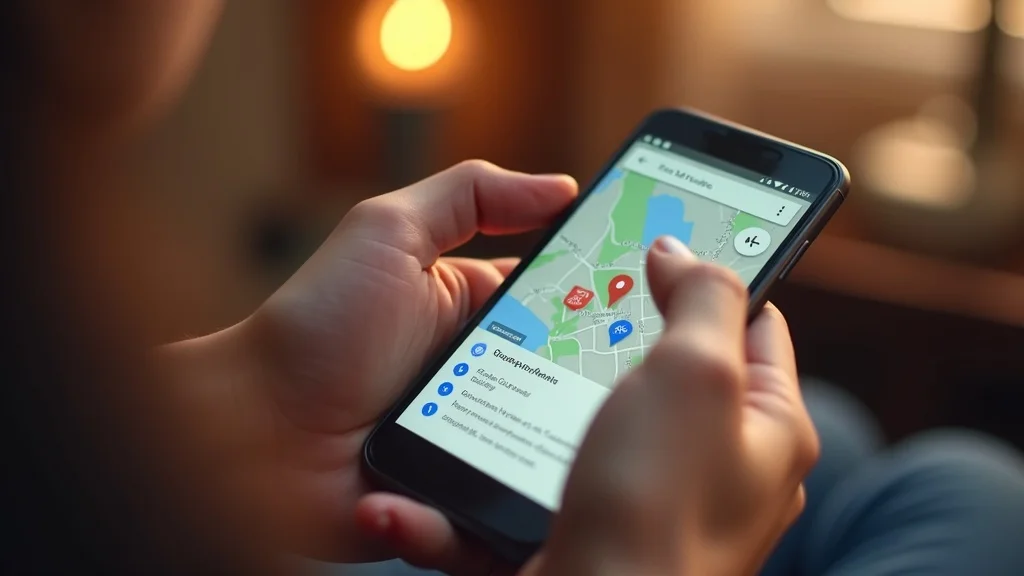

optimizing your google business profile for mobile - Smartphone showing Google Maps with nearby clinic, user hand tapping, photorealistic, high clarity.

Step 3: Keep Business Information Up to Date

  • At least once per month, review and confirm: Phone number, address, business hours, list of services, and staff details. Changes—even slight ones—can affect how patients and Google display your practice.

  • Respond rapidly to change alerts or suggestions that Google may propose to your business profile. These sometimes come from users or data sources, so double-check for accidental errors.

  1. Review and update business hours for holidays and special events.

  2. Check the accuracy of all contact info—phone and email especially.

  3. Verify your service area list and make sure it matches your actual coverage.

  4. Update provider and team headshots or clinic photos as needed.

  5. Respond to new reviews and messages within one business day.

Step 4: Leverage Google Reviews to Build Patient Trust

  • How reviews impact your practice: More reviews (with honest, recent feedback) directly influence your ranking in local search results and your credibility with new patients. Five-star reviews build confidence; unaddressed complaints undermine it fast.

  • Best practices for collecting reviews: Ask eligible and satisfied patients at checkout, via post-visit texts or emails, or through QR codes in your clinic. Ensure your requests comply with HIPAA by never tying reviews to specific medical info. Phrase requests as invitations, not requirements.

  • Respond thoughtfully: Thank each reviewer, positive or negative. For negative feedback, apologize for their experience, address general points, and invite the patient to contact you privately to resolve issues. Never discuss medical details in public replies.


google reviews - Happy patient leaving online review on tablet in welcoming clinic, vibrant greenery, photorealistic, clear skin tones.

Step 5: Engage Patients with Google My Business Posts and Q&A

  • Use Google Posts for timely updates: Announce new services, provider additions, holiday hours, health tips, or seasonal vaccines. Posts appear directly in your business profile and boost patient engagement.

  • Q&A sections: Proactively answer frequently asked questions (e.g., “Do you accept walk-ins?” or “Is on-site flu testing available?”) so patients get answers quickly and can act on their decision.

  • Keep your content current: Update posts and Q&A at least every two weeks—Google favors active profiles and recency is a key factor for local ranking and higher conversion rates.

Step 6: Monitor and Improve Your Local Ranking Performance

  • Measure what matters: Use Google’s business dashboard to track search views, website clicks, direction requests, and phone calls. Tools like BrightLocal, Whitespark, or Moz Local can dig even deeper for local ranking and competitive analysis.

  • Key signals: Consistent citations (your business listed the same way on other trusted health sites and directories), high review quantity and quality, and a profile that’s 100% complete.

  • Notice a sudden drop in your visibility? Audit every element: info accuracy, new reviews, duplicate listings, recent Google updates. Correct issues immediately, then monitor if ranking rebounds over the next month.


local ranking - Medical admin analyzing business insights dashboard with colorful analytics charts, clinic office, photorealistic, blues and greens.

Quick Wins vs. Long-Term Google Business Listing Strategies

Quick wins (do this week):

Here are a few quick wins you can tackle this week to immediately strengthen your local search presence and patient trust. Start by reviewing your business profile for spelling mistakes, outdated details, or missing information—small errors can quietly undermine credibility. Next, upload at least three new, high-quality photos of your office and team that show real people and authentic spaces, helping patients feel more comfortable before they ever call.

Finally, reach out to satisfied patients with a simple, honest request for feedback—never pressure them for five-star reviews, just genuine ones. Make it a priority to respond to every new review within 24 hours, especially negative ones, with professionalism and care. These small, fast actions signal reliability to both patients and search engines, creating momentum you can build on long-term.

Long-term habits:

Long-term success in local search ranking healthcare comes from consistency, not one-time fixes. Schedule monthly reviews of your Google Business Profile to confirm that contact details, hours, images, and Q&A sections are accurate and up to date. These routine check-ins help prevent small issues from turning into trust-breaking problems for both patients and search engines.

Build review management into your regular workflow by setting reminders to request patient feedback and monitor overall review health. To keep everything compliant and polished, assign one trained staff member as the dedicated owner of your Google Business Profile. Clear ownership ensures accountability, faster updates, and a consistently professional online presence that supports sustainable growth.


business listing - Side-by-side comparison: generic stock clinic photo vs. authentic clinic with real staff, clean modern setting, natural clinic elements.

Top Mistakes Healthcare Practices Make on Google Business Listings

  • Incomplete or inaccurate business info: One wrong phone digit or old business hour could send a patient to the wrong place (or to your competitor).

  • Ignoring patient reviews or failing to respond: Silence looks unprofessional and unconcerned—addressing feedback, even negative, is vital for reputation.

  • Relying on stock images: Patients can tell; authentic, context-rich photos nearly always outperform generic ones.

  • Not tracking your local ranking or business analytics: Without monitoring, you’ll miss both growth opportunities and early warnings of drops in visibility.


Best Practices for Managing Your Practice’s Google Business Profile

  • Assign clear ownership: Decide who manages the profile—practice owner, head of ops, or a trusted marketing staff member. Document this in your SOPs (standard operating procedures).

  • Update access as staff changes: Remove access for former staff immediately and set up a system to add new team members securely when roles change.

  • Safeguard logins: Use strong passwords, updated recovery emails, and two-factor authentication to prevent accidental lockout or hacks.

  • Ensure every new update is HIPAA-compliant and maintains a professional tone—never share or respond with PHI (protected health information) in public replies or posts.

Google Business Listing Optimization Checklist for Healthcare Practices

Checklist Item

Must-Have

Nice-to-Have

Compliance Tips

Claimed & verified Google business profile

✔️


Owner access, secure login

Consistent, accurate business info (name, address, phone, hours)

✔️


Update monthly; match across all platforms

Primary & secondary categories (e.g. family doctor, urgent care)

✔️


Only licensed specialties; avoid misrepresentation

Profile & interior/exterior photos

✔️


No PHI shown, no stock images as main photo

Business description using local keywords

✔️


No clinical claims; focus on patient experience

Active posts (news, events, health tips)


✔️

Never post specific patient info

Patient reviews & timely responses

✔️


No PHI shared in replies

Q&A section with common patient questions


✔️

Answers must be general, not patient-specific

Analytics & ranking monitoring

✔️


Remove access for former staff promptly


Strategic Framework: The Patient-Centric Approach to Google Business Listing

A patient-centric Google Business Profile starts with clarity and confidence. Every element of your listing should be designed to make it easy for patients to understand who you are, what you offer, and how to reach you—without friction. Simple navigation, welcoming and authentic photos, and accurate, up-to-date contact information help patients feel reassured before they ever pick up the phone.

When your listing answers questions upfront, it reduces confusion and unnecessary calls from both new and existing patients, easing the burden on your front desk. More importantly, a well-optimized, patient-first Google Business Profile drives real outcomes: higher-quality bookings, fewer no-shows, and a stronger sense of trust that carries through the entire patient experience.


Turn Your Google Business Listing Into a Patient Trust Engine

Your Google Business Profile is no longer just a directory listing—it’s one of the most powerful trust signals your healthcare practice has. From accurate contact details and authentic photos to timely review responses and active updates, every element shapes how patients perceive you before they ever walk through your doors. Practices that treat their listing as a living, patient-first resource consistently earn higher visibility, stronger credibility, and more appointment-ready inquiries.


Frequently Asked Questions on Boosting Your Healthcare Practice Using Google Business Listing

Why is a Google Business Profile so important for healthcare practices?

Your Google Business Profile is often the first impression patients have of your practice. It directly influences local search visibility, patient trust, and whether someone calls or books within hours of searching.

How often should I update my Google Business Profile?

At a minimum, review your profile monthly to confirm accuracy. Updates should also be made immediately whenever hours, services, staff, or contact details change.

Do patient reviews really affect local search rankings?

Yes—reviews are a major ranking and trust factor. Recent, honest reviews improve visibility in local search and reassure patients that your practice is active and reputable.

What types of photos work best on a healthcare Google listing?

High-quality, authentic photos of your clinic, staff, and waiting areas perform best. Patients trust real environments far more than generic stock images.

Is it safe to respond to reviews from a HIPAA perspective?

Yes, as long as responses remain general and never confirm patient status or medical details. Thank reviewers, address concerns broadly, and invite offline conversations when needed.

How long does it take to see results from optimizing a Google Business Profile?

Some improvements, like increased calls or direction requests, can happen within days or weeks. Long-term ranking gains typically build over several months with consistent activity and review growth.


google business profile - Professional receptionist updating info in computer, clinic office setting, sleek medical workspace, soft blues.

Your Next Move: Apply Google Business Listing Tips or Get Strategic Support

Ready to turn your Google Business profile into a patient-attracting powerhouse? Small, consistent updates can dramatically boost trust, visibility, and appointment bookings—but if you’re short on time, Banida Digital can handle it for you. Our strategic team ensures your practice shines across every platform while you focus on patients. Don’t wait—schedule your free consultation today and start growing your practice’s visibility, credibility, and patient connections with ease.



Optimize Your Google Listing Now


SEO

0 Comments

Write A Comment

*
*
Related Posts All Posts
01.30.2026

Proven Local SEO Strategies Healthcare Providers Can’t Ignore

Did you know? Less than 30% of healthcare practices appear in the top three local Google search results for their specialty and area. That lost visibility means potential patients are choosing competitors—sometimes just blocks away—simply because they can’t find you online. If you’re like most practice owners, you only have time for solutions that actually work, not another marketing trend.By the end of this guide, you’ll know exactly which local SEO strategies healthcare providers need to show up where it matters and connect with more of the right patients—without hiring a full-time marketer or sacrificing clinical priorities.Why Most Healthcare Practices Struggle with Local SEODid you know that fewer than 30% of medical practices appear in the top three local search results? That means most clinics remain invisible to patients actively looking to book care. Showing up clearly online isn’t just about visibility—it builds credibility, trust, and makes it easy for patients to choose your services over competitors. Today, your business profile is often the very first impression patients have of your professionalism and reliability.The challenge is that many local SEO strategies for healthcare are outdated or incomplete. Relying on basic directory listings or sporadic review requests won’t move the needle. Effective local SEO focuses on meeting patients where they already search—Google, Apple Maps, Bing, Yelp—and ensuring your information, services, and reputation are accurate, complete, and easy to find consistently. When done right, it turns your online presence into a patient-attracting engine rather than a passive listing.Understanding Local SEO Strategies in Healthcare: What Works and What Doesn’tLocal SEO, or “search engine optimization,” is the process of optimizing your website and online presence so your clinic appears when potential patients search for services like “pediatrician near me” or “urgent care open now Springfield.” It involves a combination of tactics across your website, business directories, and patient reviews—because search engines prioritize providers their users can trust.Many clinics make common mistakes, such as ignoring their Google Business Profile, relying on outdated directory listings, or neglecting patient reviews, which are important for rankings. Inconsistent details like hours or addresses can further confuse both search engines and patients. The key takeaway: effective local SEO builds both visibility and trust. Modern patients make healthcare decisions based on what they see online, so a scattered or incomplete presence means you could be skipped—even if your services are exceptional.Quick Wins: Local SEO Strategies Healthcare Providers Can Apply This WeekClaim and optimize your Google Business Profile - This is your practice’s homepage on Google for local searches. Claim it, confirm all information (name, address, phone), and keep it current.Update hours, services, and upload fresh profile photos - Patients (and search engines) trust active, visually accurate profiles. Upload staff headshots, waiting room shots, and clearly describe your urgent care or specialty offerings.Ask recent patients for reviews (safely and compliantly) - Reviews are a top ranking signal in local SEO, but avoid incentivizing or mentioning specifics—HIPAA matters.List your practice consistently - Use the same practice name, address, and phone number on every directory, website, and insurance profile. Inconsistencies confuse both patients and search engines.Monitor and respond to reviews - Thank happy patients and professionally address concerns. Engagement further boosts your local search rankings and signals your commitment to care.Each of these steps can boost your local search visibility within days and build a steady stream of patient inquiries. Don’t wait for the “perfect” digital marketing campaign—small, consistent improvements are the backbone of effective local SEO strategies in healthcare.Long-Term Local SEO Strategy for Healthcare PracticesMake website updates a monthly habit - Add practice news, patient resource blog posts, or FAQ sections to show you’re active, helpful, and expert in your field. Fresh content helps search rankings and gives “conversion confidence” to patients choosing between multiple clinics.Refine your review request process - Train front-desk staff to ask every patient for a review—digitally or on a card—right after their appointment (never for incentives).Schedule quarterly audits of your profiles - Check Google Business, urgent care directories, and insurance listings for accuracy. Document any changes and correct errors immediately.Track your search rankings and patient inquiries. Use basic spreadsheets or dashboards to monitor where you appear on Google and how new patients say they found you. Over time, this reveals what’s working in your SEO strategy.The key to sustainable results isn’t a silver bullet—it’s making local SEO efforts part of your practice’s monthly rhythm. Like patient follow-ups, small, repeatable actions drive the biggest impact over time.The Role of Google Business Profile and Directories in Local SEO Strategies for HealthcareYour Google Business Profile and online directories play a central role in local SEO for healthcare practices. Claiming your profile is the first step: visit Google Business, search for your clinic, and verify ownership. Once claimed, complete every field with accurate and detailed information, including services offered, staff bios, accepted insurance plans, and high-quality photos of your clinic interior, exterior, and team. These elements make your profile more engaging, trustworthy, and clickable for potential patients.Consistency across all platforms is key. Your practice name, address, and phone number (NAP) should match exactly on your website, directories, insurance portals, and business listings. Even minor discrepancies or typos can confuse search engines, lower your rankings, and make it harder for patients to find you. By maintaining a complete and consistent presence, your clinic not only improves visibility in local searches but also builds credibility and trust with the community.Using Local Keywords and Targeted Content to Improve Healthcare Practice VisibilityUsing local keywords and targeted content is essential for improving your healthcare practice’s visibility in search results. Start by researching what potential patients are typing—phrases like “pediatrician near me,” “urgent care Springfield,” or “flu shot clinic downtown.” Tools like Google Keyword Planner, Ubersuggest, and Google’s “related searches” can provide valuable insights. Once identified, naturally integrate these keywords across your website, including the homepage, service pages, and business profiles, ensuring the content remains patient-friendly rather than just search engine-focused.Content planning should focus on your community’s needs. Consider creating a blog, FAQ page, or news section covering local health concerns or events, such as school vaccination drives or seasonal flu outbreaks. Highlight common patient questions, community involvement, and educational initiatives to build trust and establish your clinic as a local healthcare authority. By combining targeted keywords with relevant, informative content, you can attract more patients while strengthening your practice’s credibility in the community.Key Local SEO Elements for Healthcare ProvidersActionImpactTime to ImplementGoogle Business Profile updateHigh15 minutesAsk recent patients for reviewsHigh10 minutes (per week)Consistent info across directoriesMedium1 hour (initial), 15 mins (quarterly)Add new blog/resource contentMedium30–60 minutes (monthly)Respond to online reviewsHigh for reputation10 minutes (weekly)Social Media, Community Engagement, and Your Local SEO StrategyAn active social media presence on platforms like Facebook, Instagram, and LinkedIn can positively impact your search rankings while giving potential patients ways to engage with your clinic. Sharing updates, responding to questions in community groups, and promoting seasonal or urgent care services helps build visibility and trust. Visual posts and stories are particularly effective at capturing attention and increasing interaction.Beyond regular posting, boosting your clinic’s reputation through community partnerships can further strengthen local SEO. Hosting or sponsoring health fairs, participating in charity events, and collaborating on public wellness campaigns demonstrate your commitment to the community. Linking to these initiatives on your website and social profiles signals both patients and search engines that your practice is active, trusted, and authoritative in local healthcare.Common Local SEO Mistakes in Healthcare Practices—and How to Fix ThemLeaving your business profiles incomplete or outdated.Fix: Set a recurring calendar reminder to check and update Google Business and major directory listings at least quarterly.Inconsistent practice name, address, or phone (NAP) details.Fix: Create a master reference document (“master NAP”) and always copy-paste from this—consistency matters!Neglecting patient reviews and not responding.Fix: Assign review monitoring to a staff member and respond professionally to every review (positive and negative).Relying on generic website content instead of local keywords.Fix: Edit top pages with specific local keywords—city, neighborhood, specialty—for better search engine optimization.Ignoring analytics and search ranking trends.Fix: Schedule time each month to review Google Analytics, Search Console, and check your practice’s ranking for top target keywords.Prioritize fixes starting with your business profile and reviews; these have the fastest impact on search results and patient decision-making.Measuring Success: Local SEO Strategies for Ongoing Growth in HealthcareTo understand the impact of your local SEO efforts, track new patient calls, online forms, and appointment bookings. Ask every new patient how they found your clinic, and review tracking tools such as call-tracking numbers, website inquiry logs, or referral data from your EHR system. This information helps identify which channels are bringing in the most patients and where improvements are needed.Leverage analytics tools like Google Analytics, Google Search Console, and specialized healthcare dashboards to monitor which pages drive local searches, which keywords are performing, and where potential patients drop off. Make local SEO a quarterly habit: review your search rankings, update profiles, and adjust strategies based on what actually drives patient growth—not just online visibility metrics. Consistent monitoring ensures your practice stays visible, trusted, and competitive in your local market.Make Local SEO Work for Your PracticeLocal SEO isn’t just a digital marketing buzzword—it’s a critical tool for connecting with patients actively searching for care in your community. By optimizing your Google Business Profile, maintaining consistent practice information across directories, collecting and responding to reviews, and creating locally targeted content, your practice can appear where it matters most. These steps not only improve visibility but also build trust, credibility, and patient engagement, helping your clinic stand out from competitors.Long-term success comes from making SEO a consistent, repeatable habit. Regularly update your website, track patient inquiries, analyze local search performance, and adjust strategies based on what drives growth. Even small, steady actions—like posting fresh photos, updating service information, or responding to reviews—compound over time, ensuring your practice remains a trusted, first-choice provider in your community.Frequently Asked Questions on Local SEO Strategies for Healthcare ProvidersHow does local SEO differ from regular SEO for healthcare?Local SEO focuses on attracting patients searching in your geographic area, like “urgent care near me,” while regular SEO targets broader, non-location-specific searches. Local SEO drives more nearby patients to your clinic.Should urgent care clinics have a separate SEO strategy from general practices?Yes. Urgent care clinics should emphasize immediate availability, clear hours, and “open now” messaging, while general practices benefit from highlighting long-term care and provider bios.What’s the best way for healthcare practices to encourage patient reviews?Ask patients after their visit through email, text, or a simple card, using a consistent, HIPAA-compliant process. Never offer incentives or pressure patients for reviews.Can improving local SEO really increase patient bookings?Absolutely. Higher visibility in local search results helps more ideal patients find and choose your clinic, leading to increased appointments and sustainable practice growth.How often should I audit my Google Business Profile and directories?Quarterly audits are ideal. Check for accuracy, update photos and services, and respond to reviews to maintain consistency and boost local search performance.Take Your Healthcare Practice to the Next Level with Local SEOReady to boost your clinic’s visibility and attract more of the right patients? Start by optimizing your Google Business Profile, gathering fresh patient reviews, and ensuring consistent information across all directories. Combine these efforts with strategic local keywords, active social media engagement, and participation in community events to build trust and authority. At Banida Digital, we help healthcare providers implement proven, patient-centered SEO strategies—so you can focus on care while we grow your digital presence. 👉 Schedule your free consultation today and take the first step toward becoming the top choice in your community.Implement Local SEO for Your Practice Today

01.28.2026

Google Maps Healthcare Optimization: Get Found by More Patients

Get found by more patients with Google Maps healthcare optimization—claim your profile, update info, manage reviews, and boost visibility for your clinic in local search results.

01.23.2026

Skyrocket Your Local Search Ranking Healthcare Strategies That Work

Boost your local search ranking healthcare with proven strategies that improve visibility, trust, and patient engagement—helping your practice stand out when it matters most.

Terms of Service

Privacy Policy

Core Modal Title

Sorry, no results found

You Might Find These Articles Interesting

T
Please Check Your Email
We Will Be Following Up Shortly
*
*
*