
Add Row
Add Element
banida digital marketing agency logo
update

Banida digital

update
Add Element
  • Home
  • Contact Us
  • All Posts
  • Social Media
  • 5-Star Reputation
  • SEO
  • Traffic
  • Funnels
  • Blogging
  • Advertising
  • Website
January 28.2026
10 Minutes Read

Google Maps Healthcare Optimization: Get Found by More Patients


Did you know that over 75% of patients begin their healthcare search on Google Maps, and nearly all select a provider from the first page of local results? If your clinic isn’t appearing there, you’re missing out on the very patients you want to reach.

In this guide, we’ll show you how to get your practice noticed, attract the right patients, and build lasting trust within your local community—so your clinic can thrive in today’s digital-first world.

Why Google Maps Healthcare Optimization Matters for Your Practice

If you’re not showing up on Google Maps, you’re handing new patients to competitors—even when you provide the better healthcare service. Today’s patients check reviews, compare practices, and look for local healthcare providers within a few miles of home. That means Google Maps healthcare optimization is now as important as word-of-mouth referrals.

An optimized Google business profile puts your practice front and center. It answers patient questions before they call, displays your phone number and operating hours clearly, and helps Google map your services to people in your area who need them most. This process—known as local SEO (Local Search Engine Optimization)—makes your practice easier to find in relevant search results, directly connecting you with potential patients who are ready to book an appointment.


Inviting healthcare clinic exterior on a busy suburban street, welcoming and calm, with staff and patients naturally entering or leaving, photorealistic building signage, natural daylight, high realism. google maps healthcare optimization

Understanding Google Maps Healthcare Optimization: The Basics

Google Maps healthcare optimization is the process of making your clinic’s Google Business Profile as visible and appealing as possible in search results and on the map itself. When you claim your business profile (formerly called Google My Business), you can edit hours, add descriptions, upload images, and manage reviews—all tools that drive patient engagement and help patients choose your practice.

For local health services, Google prioritizes accurate info, consistency across online sources, and frequent updates. The basics come down to three pillars: (1) Setting up your Google Business Profile, (2) Optimizing for local SEO (name, address, phone number), and (3) Leveraging reviews and fresh content. By mastering these, even smaller practices can build trust and climb the local search rankings against bigger competitors.


Professional doctor checking online business profile with tablet, bright modern medical office, confident and focused, google maps healthcare optimization, realistic lighting and setting

The Foundation: Setting Up Your Google Business Profile

Your Google Business Profile is your digital front door—it’s what potential patients first see when they search for healthcare services nearby. Start by claiming and verifying your profile at Google Business. Choose the right category (such as “healthcare provider” or your specific specialty), and be exact with your phone number, operating hours, and address. These are not just details—they are key signals Google uses to decide which practices appear in local search results.

Next, ensure consistency. Your practice’s name, address, phone number (NAP), and website should be identical everywhere—Google profile, your own website, and any local directories. Consistency improves your chances of appearing in the top three results for local searches and helps Google understand your legitimacy as a healthcare provider. Small errors, like an old phone number or mismatched hours, can hurt your rankings and confuse patients.


Optimizing Your Google Maps Presence for Local SEO

Local SEO (Search Engine Optimization) ensures your clinic appears in Google Maps when patients make local searches—like “pediatrician near me.” For healthcare providers, optimizing for local SEO means your clinic stands out at the exact moment patients are searching for help. NAP consistency is critical: Google cross-references your business profile with your website and other platforms, so even a small inconsistency (an outdated operating hour or wrong phone number) can lower your ranking or confuse patients.

Other key tips: Use highly relevant keywords in your business description (“family doctor accepting new patients in [city]”), list all your services, and regularly upload fresh images. Encourage patient engagement by asking for reviews and responding to them in a timely and HIPAA-compliant manner. The more complete and interactive your Google business profile, the stronger your local search results—making it easier for patients to choose your clinic over less engaged competitors.


Step-by-Step Guide: Google Maps Healthcare Optimization Checklist

Boost your clinic’s visibility, attract more patients, and build trust with a fully optimized Google Maps presence. Follow these actionable steps:

  • Claim and verify your Google Business profile - Ensure your practice appears on Google Maps and search results by claiming and confirming ownership of your listing.

  • Set your primary category to ‘Healthcare Provider’ or your specialty - Make it easy for patients to find you by choosing the most accurate category for your services.

  • Add clear descriptions, services, and accepted insurance - Provide detailed information so potential patients know exactly what you offer and which insurance you accept.

  • Upload quality images of your practice to boost patient engagement - Showcase your clinic’s environment, staff, and services with high-quality photos to build trust and attract visitors.

  • Request and respond to Google Maps reviews regularly - Engage with patients by encouraging reviews and responding promptly to feedback to improve your reputation.

  • Double-check phone number, email, and operating hours - Keep your contact info accurate and up to date to make it easy for patients to reach you.

  • Utilize Google Posts to share practice updates or announcements - Highlight news, promotions, or educational content to keep your audience informed and engaged.

Following this checklist not only makes your business profile more attractive and informative to potential patients, but it also builds strong signals for Google’s local search algorithm. Each step both improves the patient experience—making it easier for people to contact you and get the information they need—and supports your practice’s reputation in search results. Remember, small tweaks like uploading fresh facility images or keeping your operating hours up-to-date can raise your ranking in local search results almost immediately.
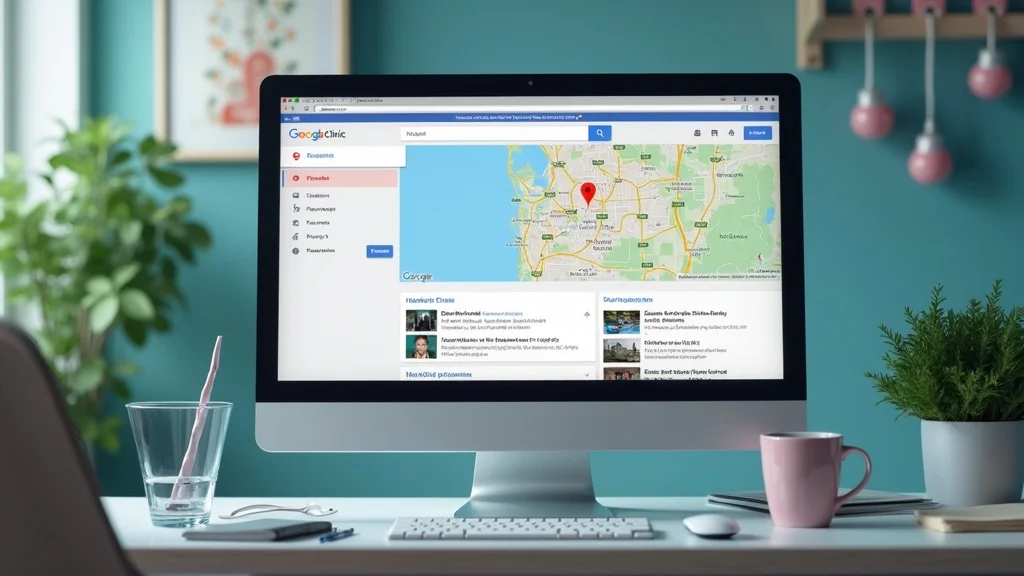

Modern computer displaying healthcare clinic Google Maps profile, professional and clean, healthcare decor with vibrant screen, google maps healthcare optimization

Quick Wins: Boosting Your Google Business Profile This Week

Looking for actions you can take right now? Start by reaching out to a few loyal patients and politely asking them to leave detailed reviews about their experience. Just a handful of new, positive reviews can immediately boost your local SEO and make your business profile stand out. Next, audit your listing—check for mistakes in your address, phone number, and operating hours. Even simple errors can frustrate patients and hurt your local search ranking.

High-impact images make your business profile more inviting and authentic. Upload pictures of your waiting room, staff (with consent and following privacy guidelines), and clinic exterior. Finally, ensure that incoming messages or appointment requests through Google are answered quickly—Google sometimes tracks response speed in search rankings, and prompt replies show patients you value their time.


How Reviews Impact Google Maps Healthcare Optimization

Reviews are critical for both local SEO and patient engagement. Google prioritizes clinics with a steady stream of recent, positive reviews—helping you move up in search results and build trust from the start. A compliant, HIPAA-safe process means you ask patients for general feedback on the overall experience (never about specific conditions or treatments) and never incentivize reviews with discounts or gifts.

Tactics to boost patient engagement: Post gentle reminders in your office, send follow-up emails after appointments, and respond publicly—but professionally—to every review (positive or negative). Responding demonstrates that your practice values feedback and helps google understand you are an active, involved healthcare provider. Even a simple thank-you builds trust with future patients who might be comparing multiple clinics.


Friendly front desk staff helping a patient at a modern healthcare clinic, welcoming reception area, natural pose, google maps healthcare optimization, real and cheerful.

Avoiding Common Mistakes in Google Maps Healthcare Optimization

The most common mistakes? Incomplete listings or accidental duplicates—both confuse Google and lower your visibility. Avoid setting up your Google business profile with a personal Gmail; use a dedicated practice account for easier access and safer team management. Always double-check your contact info and operating hours after a holiday or staff change to keep everything up to date.

Many practices make the mistake of “setting and forgetting.” Instead, schedule a quarterly review of your business profile: update images, refresh service lists, and review patient feedback. Regular updates signal to Google (and to patients) that you are active, responsive, and a trustworthy part of your local community. Neglecting this can quickly undo months of progress and open the door for less qualified providers to outrank you in local searches.


Long-Term Success: Building Authority on Google Maps and Beyond

Building sustained local authority means more than a one-time effort. Develop a routine: ask patients for reviews after every visit, and share regular updates on your Google business profile using “Google Posts” (think, vaccine announcements, new services, adjusted hours). By staying visible and relevant, you build trust with future patients and with Google’s local search algorithm.

Citations from other local businesses, healthcare directories, and relevant community sites reinforce your legitimacy in the eyes of Google and patients alike. Over time, these ongoing efforts tie back to your online presence, solidify your ranking, and protect your reputation. Remember, optimization is a habit—not a checkbox—for practices that want to remain the first choice for families and patients in their area.


Confident healthcare marketer reviewing analytics, computer screen displaying charts and data, organized office with medical and marketing cues, google maps healthcare optimization

Measuring Results: Is Your Google Maps Healthcare Optimization Working?

Once your google maps healthcare optimization is underway, it's important to measure impact. Start by using Google Business Profile Insights to track how many patients are calling directly from search or clicking through to your website. Free tools like Google Search Console or third-party rank checkers let you monitor shifts in your local search position. Every month, set aside time to review key metrics: calls, direction requests, patient reviews, and star ratings.

Analyzing these stats reveals where you’re winning and where you need further optimization. A jump in direction requests typically means your Google maps listing is attracting locals ready to visit. A steady increase in review count and positive star ratings reflects growing patient trust and engagement—both essential for climbing search results. Make tracking these outcomes a part of your management routine for lasting success.

Key Google Maps Metrics for Healthcare Practices

Metric

Where to Find It

How to Use

Calls from Search

Google Business Profile Insights

Gauge effectiveness of local searches

Direction Requests

Google Maps Insights

See who’s driving to your clinic

Reviews & Ratings

Public Listing

Track patient engagement


Diverse medical team discussing digital strategies with digital devices showing maps and analytics, modern conference room, collaborative atmosphere, google maps healthcare optimization

Google Maps Healthcare Optimization: Quick Action Checklist

Take these simple steps to make your practice more visible, trustworthy, and easy to find on Google Maps.

  • ✅ Claim and verify your business profile - Ensure your clinic appears in local search results by confirming ownership of your Google listing.

  • ✅ Set up accurate NAP details - Keep your Name, Address, and Phone number consistent so patients can reach you without confusion.

  • ✅ Add services, specialties, and patient-friendly descriptions - Clearly communicate what you offer to help patients understand your expertise and choose your practice.

  • ✅ Upload fresh photos - Showcase your clinic, staff, and facilities with high-quality images to boost engagement and trust.

  • ✅ Request reviews and monitor responses weekly - Encourage patients to leave feedback and respond promptly to maintain a strong online reputation.People Also Ask About Google Maps Healthcare Optimization


Take Action and Stay Visible in Your Community

Optimizing your Google Maps presence isn’t just a technical task—it’s a powerful way to connect with the patients who need your care most. By claiming and verifying your business profile, keeping your NAP consistent, uploading fresh photos, and engaging with patient reviews, your clinic becomes more discoverable, trustworthy, and patient-friendly. Even small, consistent updates send strong signals to Google, improve your local search rankings, and make it easier for potential patients to choose your practice over competitors.

Long-term success comes from treating Google Maps healthcare optimization as an ongoing habit rather than a one-time checklist. Regularly track metrics like calls from search, direction requests, and reviews to measure progress, adjust your approach, and maintain your authority in the community. With a strategic, consistent approach, your practice can thrive in today’s digital-first world—attracting the right patients, building lasting trust, and staying top-of-mind for local healthcare searches.


Frequently Asked Questions on Google Maps Healthcare Optimization

What is google maps healthcare optimization, and why does it matter for smaller practices?

Google maps healthcare optimization means making your clinic visible and appealing in Google Maps—where patients look first. For small practices, this bridges the gap between big marketing budgets and real results, bringing in new patients without the need for expensive ads.

Are there compliance issues to watch for when collecting patient reviews on google maps?

Yes—protect patient privacy by never asking for medical details in reviews, avoid incentives, and always follow HIPAA rules. Ask only for general feedback and train staff on compliant engagement.

What if multiple providers work at one location—how should profiles be set up?

Each provider can have a profile if they see patients at the location, but the main clinic’s listing should remain the most complete. Sync operating hours and contact info, and clarify specialist areas in each individual provider's description.

Is it worth paying for ads to appear higher in local search results?

Paid ads can boost visibility in the short term, but don't replace the need for a thorough and consistent business profile. Combine ads with ongoing optimization for best long-term results.

How do I get old or duplicate listings removed from Google Maps?

Request removal via Google Business support, and flag duplicates directly in Google Maps. Consistently report and monitor listings to prevent confusion and protect your practice’s reputation.


Grow Your Practice with Google Maps Healthcare Optimization

Ready to put your practice at the top of local searches and attract more patients? Banida Digital can handle your Google Maps optimization and broader digital strategy, helping your clinic shine online while you focus on patient care. Schedule your free consultation today and start growing your visibility, credibility, and patient connections with a proven, stress-free approach.



Optimize Your Google Maps Listing Today


SEO

0 Comments

Write A Comment

*
*
Please complete the captcha to submit your comment.
Related Posts All Posts
04.03.2026

Top Local SEO Tools for Healthcare to Boost Your Visibility

Did you know that nearly 77% of patients search online before booking a healthcare provider—but more than half of local medical practices fail to fully leverage essential local SEO tools? In today’s digital-first healthcare landscape, simply having a website isn’t enough. If your practice isn’t optimized for local search, you risk losing visibility to competitors who are easier to find, easier to trust, and easier to contact.In this article, we’ll explore how strategic local SEO can help your medical practice stand out, attract more nearby patients, and turn online searches into scheduled appointments. Whether you run a small clinic or a multi-provider practice, the right approach to local optimization can make all the difference in your growth and reputation.Turning the Spotlight: Why Local SEO Tools for Healthcare Matter NowLocal SEO tools for healthcare have rapidly evolved from a “nice-to-have” into a necessary foundation for modern medical practices. In an era where patients are likelier to start their search for a new doctor, dental office, or urgent care clinic with a Google search than a phone book, standing out locally is no longer optional. These tools help healthcare practices appear in the local pack—the top three map results—by optimizing business profiles, managing reviews, and ensuring accurate information across vital platforms.Whether you run a solo clinic or a multi-location group, the right local SEO tools can immediately impact your visibility, patient trust, and appointment volume. By harnessing search engine optimization specifically tailored for healthcare, you position your practice to reach more potential patients exactly when they’re searching for local providers. Ultimately, the ability to measure, monitor, and improve your online presence is what keeps you competitive in the digital healthcare landscape.Understanding Local SEO Tools for HealthcareDefining Local SEO in Healthcare MarketingLocal SEO in healthcare marketing is the process of optimizing your practice’s digital footprint so it’s more visible to local patients searching for relevant care. Unlike generic SEO, local SEO zeroes in on geographic signals and online business profiles—think Google Business Profile, map results, and local directories—ensuring your practice appears precisely when a nearby patient needs it. This includes maintaining consistent Name, Address, and Phone data (NAP), earning positive reviews, and enhancing your listings with accurate specialties and services.Competing in local searches requires more than just a functional website. Healthcare providers must adapt to how users search for “family doctor near me” or “urgent care clinic open now. ” SEO tools streamline the optimization of location pages, structured data, and appointment booking features—helping medical practices stand out in the local pack and beyond. For healthcare, a strong local SEO strategy drives real patient visits, not just website clicks.To further enhance your healthcare practice’s online presence, it’s important to understand how to craft compelling content that resonates with both search engines and patients.How Local SEO Impacts Medical Practices and Healthcare PracticesA robust local SEO presence is often the dividing line between a bustling waiting room and one that sits idle. When your online presence is optimized, you dominate local search rankings, making it easier for potential patients to find you on search engines like Google or Bing. Local SEO tools automate much of the process—pushing updates to critical directories, tracking patient reviews in near real-time, and flagging discrepancies in your NAP data.For healthcare providers and medical practices, success with local SEO means higher visibility, improved trust, and better patient conversion rates. A clinic that actively manages its Google Business Profile, responds to reviews, and promotes up-to-date appointment options establishes authority and reliability. At scale, these optimizations lead to steady growth and a solid reputation within your community.Key Features to Look for in Local SEO Tools for HealthcareWhen comparing local SEO tools for healthcare, it’s important to pick platforms with healthcare-specific capabilities as well as general optimization features. At a minimum, strong tools should offer centralized management of business profiles, easy review aggregation, and robust reporting dashboards. Bonus points for HIPAA-friendly integrations, ability to manage multiple locations, and tools for direct appointment booking or healthcare service menus.Look for tools that automate NAP management across directories, support advanced search engine optimization tactics (like schema markup or local keyword tracking), and provide actionable analytics. Integration with popular healthcare review platforms and compatibility with your practice’s digital marketing tools will future-proof your local search strategy.Comparison of Top Local SEO Tools for HealthcareToolKey FeaturesEase of UsePricingIntegrationsGoogle Business ProfileProfile management, reviews, photos, insightsVery EasyFreeGoogle Services, MapsMoz LocalListing sync, review monitoring, data accuracyEasy$$ (Subscription)Top directories, Google, BingBrightLocalSEO audits, reporting, review aggregationModerate$$ (Subscription)Review sites, directoriesSEMrushAdvanced keyword tracking, competition analysisIntermediate$$$ (Tiered Pricing)Marketing platforms, analyticsYextListings sync, reputation management, analyticsModerate$$$ (Tiered Pricing)Healthcare review platforms, directoriesTop Local SEO Tools for Healthcare: In-Depth ReviewsGoogle Business Profile: The Cornerstone of Local SEO for HealthcareThe Google Business Profile is non-negotiable for any healthcare practice focused on local SEO. It places your clinic or office directly in front of patients in the local search results—especially on Google Maps and mobile searches. Start by claiming your existing profile (or creating a new one) and carefully updating your address, specialty, hours, and photos. This profile feeds directly into the local pack, influencing who appears when patients look for care nearby.Patient reviews on Google can make or break your reputation. Engage with both praise and criticism; timely responses show reliability. Use the Q&A section to preemptively answer common questions about your services, insurance, and appointment booking. Don’t forget to track profile insights within your dashboard—these metrics reveal how patients find you, what actions they take, and which search terms drive conversions.Moz Local: Simplifying Listings Across Local Search EnginesMoz Local simplifies one of the most time-consuming parts of local healthcare SEO: keeping your business information accurate everywhere it appears online. Instead of manually updating your Name, Address, and Phone number (NAP) across dozens of directories, you update your details once inside Moz Local, and the platform distributes those changes to major sites like Bing, Facebook, Yelp, and various healthcare-specific directories. This automation ensures consistency across platforms, which is critical because search engines prioritize businesses with matching data everywhere they appear. When your information aligns across the web, it reinforces trust, prevents patient confusion, and strengthens your overall SEO performance.Beyond distribution, Moz Local actively monitors for duplicate listings, inaccuracies, and outdated contact information, flagging issues before they negatively impact your rankings. It also centralizes review management, allowing your team to track and respond to patient feedback from a single dashboard. Accurate, consistent listings are strongly correlated with improved local search visibility—especially for clinics managing multiple locations or frequent operational updates. By maintaining clean, reliable data across the local search ecosystem, Moz Local helps healthcare practices protect their credibility and maximize their search engine optimization efforts.BrightLocal: Auditing Local SEO Performance for Medical PracticesBrightLocal specializes in local SEO reporting and audits. For medical practices wanting a clear, real-time snapshot of online performance, BrightLocal tracks everything from rankings in the local pack to the quantity and quality of directory listings. The audit tool uncovers missing citations, reviews, and NAP inconsistencies, making it easier to prioritize updates for the biggest local impact.Automated reports can be tailored to your practice’s unique needs, making it easy to share key findings with administrative and marketing staff. BrightLocal’s combination of tracking, review management, and actionable suggestions streamlines the path to stronger local search outcomes for healthcare practices of any size.SEMrush: Advanced Local SEO Tools for Healthcare SEO StrategySEMrush is beloved by digital marketers for its full suite of SEO tools, and that extends to local SEO tools for healthcare. Use SEMrush to conduct advanced keyword research—zeroing in on the exact terms patients use in your area. The local tracking features show how your practice measures up in search rankings versus local competitors, and site audit modules reveal issues with structured data or page optimization that could hold you back in the local pack.Healthcare practices can also leverage SEMrush’s competitive analysis capabilities to evaluate other local providers, identify content gaps, and uncover opportunities for improved patient engagement. Paired with robust reporting tools, SEMrush supports a holistic SEO strategy for both single and multi-location medical practices.Yext: Managing Online Presence and Listings for Healthcare PracticesYext takes directory management to the next level, syncing your medical practice’s information across a broad network of sites—including healthcare-specific platforms and insurance directories. The result: updates made via Yext reflect everywhere patients might look, reducing the odds of conflicting hours or incorrect locations.Review monitoring is another massive advantage. Yext offers tools for soliciting new patient reviews and analyzing reputation trends. With real-time alerts and reporting, your staff can quickly address negative feedback, secure more positive testimonials, and build trust throughout your community—boosting both search engine and patient confidence.Building an Effective SEO Strategy Using Local SEO Tools for HealthcareBest Practices: What Top Performing Medical Practices Do DifferentlyTop-performing medical practices set themselves apart by being meticulous and consistent with their local SEO. Start with detailed business profiles—include relevant keywords in your descriptions but keep information authentic and patient-focused. Proactively ask patients for feedback and respond to all reviews, positive or negative, demonstrating a commitment to user experience and community trust.Frequent review of analytics through tools like Google Analytics, BrightLocal, or SEMrush helps practices swiftly spot where patients are dropping off or which pages attract the most traffic. Adapt your seo strategy based on this data—update services, add FAQ content, or highlight new technologies. Regular, small improvements yield steady gains in local search rankings and appointment bookings over time.Common Pitfalls to Avoid in Local SEO for Healthcare PracticesDespite the powerful benefits of local SEO tools for healthcare, several pitfalls are common. The most critical is neglecting NAP consistency—just one mismatched suite number or old phone can confuse search engines and potential patients alike. Take special care to verify that your business information is identical everywhere, from your website to every directory and review platform.Another misstep is overlooking patient reviews or failing to engage with them. Reviews shape perception and influence local search algorithm rankings. Lastly, failing to monitor analytics means your practice could miss out on easy wins or waste effort on strategies that don’t convert.Measuring Success: Key Metrics for Local SEO Tools for HealthcareTracking Local Search Rankings and Business Profile PerformanceSuccess with local SEO tools for healthcare isn’t left to guesswork. Regularly track your local search rankings by monitoring where your practice appears for target services (e. g. , “dermatologist near me”) within the local pack on Google and Bing. Analyze data from Google Business Profile insights or all-in-one platforms like BrightLocal to see how many potential patients view your profile, call directly, or visit your website from search engines.Consistent upward movement in rankings, increased map and direction requests, and more website clicks are all signs that your SEO strategy is working. If rankings fall or reviews turn negative, local SEO tools help pinpoint issues quickly so you can take corrective action.Patient Engagement, Reviews, and Search Engine Optimization MetricsHigh-performing healthcare practices measure more than just web traffic. Track volume, sentiment, and response time for patient reviews; monitor how patients interact with appointment booking and Q&A features on your listings; and review session length and bounce rates on your location landing pages. These metrics, when tracked alongside core engine optimization KPIs, provide a full picture of your digital marketing health.Use this data not just to prove ROI, but to adjust practice hours, update service lists, and improve user experience. Modern local SEO tools often integrate with Google Analytics and other platforms, making it easy to generate comprehensive reports and inform future care marketing efforts.Integrating Local SEO Tools into Broader Healthcare MarketingHow Local SEO Tools Support Digital Marketing for Healthcare PracticesLocal SEO tools bridge the gap between your website, local listings, and your broader digital marketing initiatives. By optimizing business profiles and directories, you can drive more traffic from high-intent searchers—those ready to schedule an appointment. These tools often work hand-in-hand with paid advertising, blog post publishing, and email campaigns, delivering a unified message to patients across all search engines and platforms.A well-implemented local SEO strategy supports every patient touchpoint. From the moment someone searches for a nearby clinic to reading reviews, checking insurance, and booking an appointment, seamless integration between local and general digital channels ensures a trustworthy, streamlined user experience.Synergies with Social Media, Website UX, and Care Marketing InitiativesTop-performing healthcare practices understand that local SEO tools don’t operate in a vacuum. Synergize your efforts by promoting Google reviews on your social media accounts, linking back to your Google Business Profile from email newsletters, and weaving patient-generated content into both website and directory listings.Likewise, a clean, mobile-friendly website with clear contact and appointment information maximizes the conversion potential of visitors sent by local search. Regular cross-promotion and consistent branding across all digital and care marketing channels reinforce your practice’s credibility, resulting in higher engagement and increased loyalty.Key Takeaways for Local SEO Tools for HealthcareLocal SEO tools for healthcare are no longer optional—they play a central role in modern patient acquisition strategies. As more patients rely on online search to choose providers, having the right tools in place ensures your business listings remain accurate, your reviews are managed effectively, and your local visibility stays strong. Proper evaluation and setup of these tools lay the groundwork for improved rankings, while consistent monitoring and optimization directly influence how often your practice appears in local search results.No single platform does everything perfectly, which is why combining several complementary tools often delivers the best results. For example, one tool may specialize in listing management, another in review monitoring, and another in keyword tracking and analytics. When used together strategically, these solutions provide a comprehensive, data-driven approach that helps medical practices maintain visibility, strengthen credibility, and drive steady patient growth. Frequently Asked Questions on Local SEO Tools for HealthcareWhat’s the cost of local SEO tools for healthcare?Local SEO tools range from completely free options, like Google Business Profile, to paid platforms with monthly subscription fees. Pricing typically scales based on the number of locations and features you need, making them flexible for both small clinics and larger healthcare organizations.How long does it take to see results from local SEO?Most healthcare practices begin noticing measurable improvements within 2–3 months, particularly in rankings and patient inquiries. However, quick fixes—such as correcting inaccurate business information—can positively impact visibility and patient trust almost immediately.Can local SEO benefit group and solo practices alike?Yes, local SEO is highly effective for both solo providers and multi-location groups. It helps each practice strengthen its unique local presence, manage patient reviews efficiently, and increase appointment requests within its specific service area.What’s the difference between local SEO tools and traditional SEO software?Local SEO tools focus on optimizing location-based elements such as business listings, maps visibility, citations, and reviews. Traditional SEO software, on the other hand, emphasizes broader website performance factors like backlinks, technical audits, and national or global keyword tracking.Ready to Improve Your Healthcare Practice’s Visibility?Ready to strengthen your healthcare practice’s online visibility and attract more local patients? Banida Digital combines the right tools, proven local SEO strategies, and ongoing optimization to help medical practices stand out where it matters most—at the top of local search results. Whether you need a full strategy, technical support, or simply expert guidance on your next steps, our team is here to help. Visit Banida Digital’s website or contact us today to schedule your free consultation and start turning more local searches into booked appointments.Explore the Top Local SEO Tools for Healthcare

04.01.2026

Unlock Success with Local Healthcare SEO Strategies Today

Unlock growth with proven local healthcare SEO strategies that boost visibility, build patient trust, and turn local searches into consistent appointment bookings and long-term patient loyalty.

03.30.2026

Master Local Search Optimization for Healthcare Now

Local search optimization for healthcare ensures patients find your practice online, boosting visibility, building trust, and increasing appointment bookings within your local community consistently.

Terms of Service

Privacy Policy

Core Modal Title

Sorry, no results found

You Might Find These Articles Interesting

T
Please Check Your Email
We Will Be Following Up Shortly
*
*
*