
Add Row
Add Element
banida digital marketing agency logo
update

Banida digital

update
Add Element
  • Home
  • Contact Us
  • All Posts
  • Social Media
  • 5-Star Reputation
  • SEO
  • Traffic
  • Funnels
  • Blogging
  • Advertising
  • Website
May 02.2023
6 Minutes Read

How to Use Paid Advertising to Attract New Patients

How to Use Paid Advertising to Attract New Patients

When it comes to attracting new patients, nothing can replace word-of-mouth recommendations from your current patients as the most effective method. However, that’s not the only way to get more people to learn about your practice and consider it as a new patient. Paid advertising also plays an important role. After all, advertising is one of the most accessible and affordable methods for getting your name out there. In this blog post you will learn how paid advertising can help target specific audiences and reach them at a cost that won’t break the bank. You will also learn about different ways to effectively use paid advertising in order to attract new patients without spending too much money or time on it.

What is Paid Advertising?

Paid ads, also called pay-to-play ads, are any ads that a business pays for. This could include ads on TV, radio, digital channels, websites, and more.


Paid ads are more than just an extra expense for a business. Instead, they’re an opportunity to reach new patients, expand your brand, and build a loyal and engaged following.

Paid ads are the fastest and most effective way to get your name out there. In fact, studies show that, if done correctly and targeted to the right audiences, they can lead to an increased number of new patients by as much as 60%.

Some of the main reasons businesses choose to advertise with paid channels are to attract new patients, increase brand awareness, and build a loyal and engaged following.

How does Paid Advertising work?

To get more people exposed to your ads, many paid channels use automated programs to “buy” ad space. As a result, paid ads are often less targeted than other types of advertising, like social media posts or email campaigns.

However, they can still be very effective in getting your name out there.

First, a platform, like Google or Facebook, needs to decide which ads to show you based on your preferences. You can decide what types of ads to block, like ads for products you frequently search for. Next, the platform matches you with advertisers who want to buy ad space. When an advertiser submits an ad, you’ll see that ad.

Usually, paid ads are less targeted than free, non-paid channels, like social media and online ads. The reason is that there’s a lot of competition for ad space, so most advertisers are trying to reach as many people as possible. So, unless you’re targeting a very specific audience (e.g., people in your city who have recently bought recreational marijuana), your ads will likely be shown to a lot of other people.

Types of Paid Advertising for Doctors

We list a few types of paid advertising to help you figure out which ones will work best for your practice:

Google Ads

Google Ads is one of the most popular ways to put ads on the Internet.

Google Ads gives you a few different choices, but paid search ads are the best for medical practices. When you do a search on Google, these are the ads that show up at the top of the page. You only pay for these kinds of ads when someone clicks on them.

These ads don't have any images, so they might be easier to set up because you don't have to make any graphics. You can also get fairly detailed reports, so you can keep an eye on your results and make changes as needed.

Facebook Ads

Facebook ads are a fairly cheap way to reach more people if your practice wants to spread the word about a new procedure, service, or team member. People will find it easy to share these ads because they look like regular Facebook posts. This will help you reach even more people.
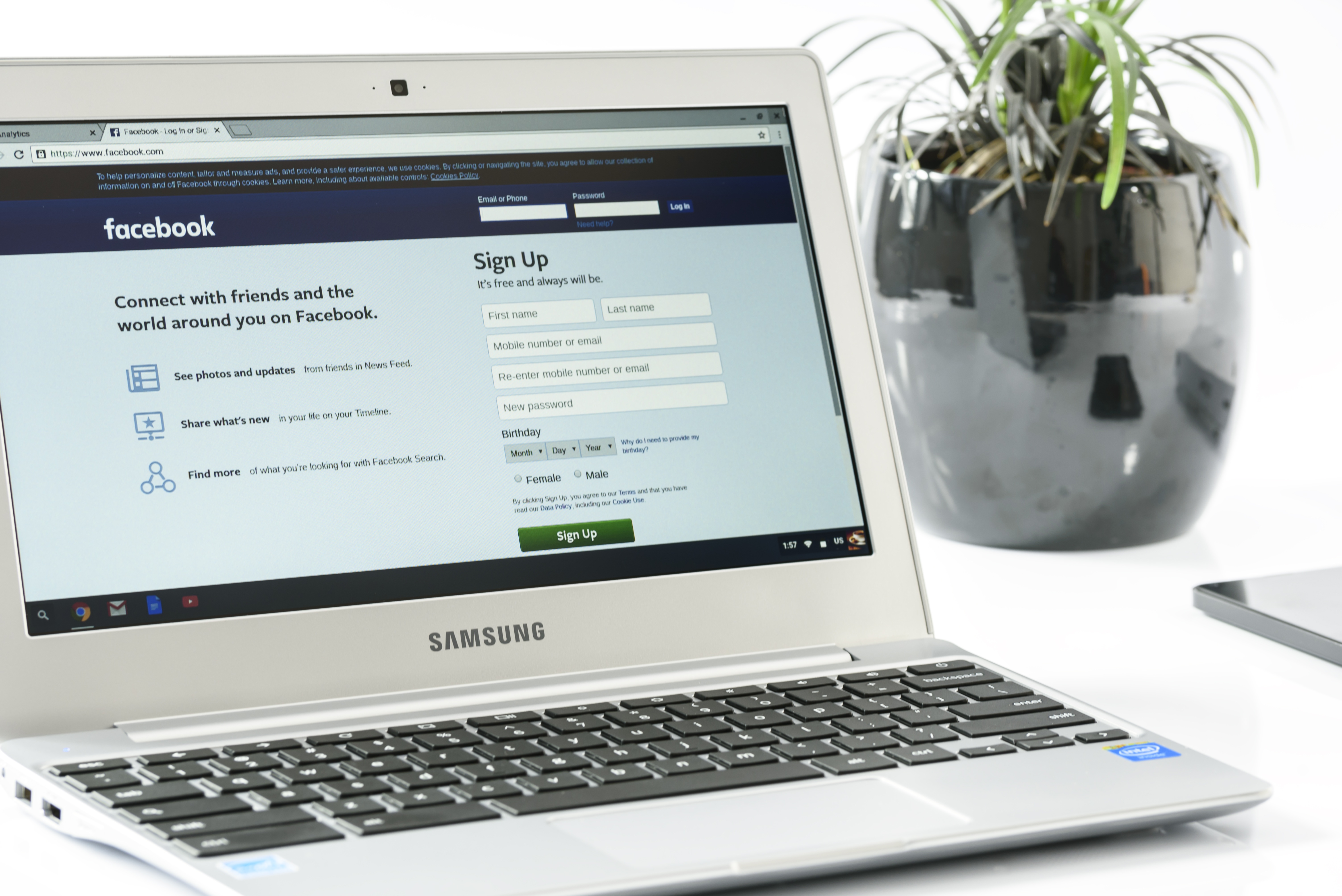
People who see your ads are not actively looking for what you offer. The ad could show up in the Facebook news feed of anyone who fits the demographics that were chosen. Users being able to share and comment on ads is a great way to bring attention to a service or piece of information that patients may not have known about.

Instagram Ads

Since more than half of Instagram users are under 35, we usually only recommend using Instagram ads for practices that are trying to attract young people or people with young children.

Similar to Facebook, Instagram allows you to conduct sponsored posts to promote your practice, providers, and services. Instagram advertisements could be a terrific choice for you if the majority of your patient base is younger. In fact, if your practice currently uses Facebook Advertising, you can use the Facebook Ad Manager to run the same ad material on Instagram.


Which Audiences are Good for Paid Advertising?

Ever wondered which audiences are best for paid advertising? Let’s take a look at some of the best options for targeting your ads:

  • People who recently searched for your products or services online. For example, if you offer online services for cancer patients, you could target people who recently searched for terms related to cancer, health, and medicine. This is one of the best options for targeting an in-season audience.
  • People who recently searched for an alternative doctor. If you offer a different type of medical service than your competitors, this is a great option to target an out-of-season audience. If you also offer a cheaper price, this audience can be even better.

Strategies for Using Paid Advertising Effectively

To use paid ads effectively, you need to do a few things.

First, you have to have a clear goal for your campaign. Let’s say your goal is to attract new patients. Next, you have to narrow down your target audience so that you’re targeting exactly the people you want to see your ads.

Below are a few additional tips to help you achieve your campaign goals:

  • Be Consistent: It’s important to keep your ads consistent with your brand. This will help you build trust with your audience and make them feel like you’re the ones who are talking about your practice.
  • Be Targeted: You also want to be as targeted as possible. For example, if you’re targeting an in-season audience, it would be better to target people who recently searched for a specific term related to health.
  • Offer Value: Finally, it’s important that your ads offer value. Your ad should actually tell your audience something specific and beneficial, like “Ask Dr.

    Smith about how you can save money on your Medicare prescription drugs.”

Conclusion

Paid advertising is a very effective way to attract new patients. It can also be a great way to reach your current patients and remind them to take their medication correctly.

However, it’s important to note that paid ads are often less targeted than other channels. This means that you’ll have to be just as creative as you would be with other forms of advertising, but you’ll only have one chance to make a first impression.

To get the most out of your campaign, you need to be as targeted as possible and make sure that every ad is worth the cost. With that in mind, you can use paid advertising to target specific audiences and reach them at a cost that won’t break the bank.




Contact Us To Reach More Clients

Advertising

0 Comments

Write A Comment

*
*
Please complete the captcha to submit your comment.
Related Posts All Posts
03.20.2026

Maximize Your Google Ads Budget for Clinics Effectively

Did you know that clinics can waste up to 28% of their digital marketing budget on inefficient Google Ads strategies? In an increasingly competitive healthcare landscape, relying on generic advertising tactics is no longer enough. For clinics, optimizing a Google Ads budget isn’t about cutting costs—it’s about making smarter, more strategic investments that drive real patient growth.This evidence-backed guide breaks down the essential concepts, practical steps, and expert insights you need to ensure every advertising dollar works harder for your practice. From improving patient acquisition to staying compliant and competitive, you’ll learn how leading clinics turn digital ad spend into measurable results—without the guesswork.A Surprising Fact: Why Most Clinics Struggle With Google Ads Budget OverspendingOverspending on Google Ads is a hidden epidemic among healthcare providers. Many clinics see their monthly ad budgets evaporate with little to show for it, primarily due to lack of planning, misaligned ad targeting, or failure to monitor ongoing campaign effectiveness. Whether you operate a single-specialty practice or a multi-location healthcare organization, you’re not alone—digital ads budget efficiency challenges are common across the industry. The good news? Most budget waste can be reclaimed through a few strategic adjustments and a clear understanding of digital marketing fundamentals tailored to healthcare. This guide will help you reframe your approach, reduce lost spend, and achieve a better return on investment in your healthcare advertising.For clinics looking to further refine their digital marketing approach, understanding the principles of crafting compelling and effective content can also play a pivotal role in ad performance. If you want to ensure your ad copy and landing pages resonate with your target audience, consider exploring best practices for writing high-impact articles that drive engagement and conversions.Understanding the Google Ads Budget for Clinics: Key Terms and ConceptsDefining Google Ads Budget in the Medical Practice ContextIn a medical practice, the google ads budget is the amount you’re willing to allocate toward paid search campaigns each month, quarter, or year. Unlike other service industries, clinics must optimize their marketing spend with care practices compliance, ethical patient targeting, and measurable outcomes in mind. Budget planning for healthcare digital marketing goes beyond just setting a number; it’s about strategically deploying resources to improve patient acquisition while adhering to HIPAA compliance and ad copy regulations. Think of your ads budget as both a shield (protecting your investment from waste) and a roadmap (guiding you toward specific, measurable business goals).Essential Digital Marketing Metrics: Cost Per Click, Search Volume, and ROIMastering a google ads budget for clinics starts with understanding essential digital marketing metrics. Three terms matter most: cost per click (CPC), search volume, and return on investment (ROI). Cost per click reflects the average you pay whenever someone clicks your ad—commonly higher in healthcare due to competition for urgent care or primary care keywords. Search volume tells you how many people are actually looking for health services like yours, highlighting where to focus your budget. Lastly, ROI shows if your ad spend is actually leading to more patients and revenue. Smart clinics measure these regularly to steer their marketing campaigns toward better performance and less waste.Special Considerations for Medical Practices: HIPAA Compliance and Ad Copy RegulationsHealthcare advertising must abide by strict rules that other industries don’t face. Each ad, keyword, and landing page must respect HIPAA compliance requirements to protect patient information. Ad copy is regulated both by search platforms and healthcare-specific authorities, restricting the language, claims, and personalizations you can use. Medical practices also face review processes to prevent misleading or non-compliant content. When budgeting for ads, factor in compliance tools and expert reviews as essential—one slip can cost far more than any wasted ad spend.Evaluating Your Current Google Ads Budget for ClinicsConducting a Google Ads Audit for Medical PracticesMost clinics set their ads budget and hope for the best, rarely revisiting where money actually goes. The first step in maximizing your google ads budget for clinics is performing a methodical audit of your current spend. Review each campaign, ad group, and keyword, looking for what’s working and what isn’t. Tools like Google Ads’ built-in reporting and third-party platforms allow you to compare your cost per click, conversion rates, and actual new patient numbers against your original targets. For healthcare providers, this means correlating ad data with your own medical software or CRM to track real patient acquisition, not just clicks.Identifying Wasted Ad Spend and Budget DrainageOften, a large chunk of your ad spend may go to non-converting keywords, locations outside your service area, or ineffective landing pages. Clinics should scrutinize their search terms reports and demographic targeting, identifying patterns of wasted budget. Pay close attention to irrelevant clicks, high-cost keywords with low conversion rates, and campaigns with poor ad copy performance. By plugging these leaks, you can reallocate funds to high-performing campaigns, making your overall ads budget work significantly harder.Setting Baselines: How to Determine Your Ideal Google Ads BudgetThere’s no one-size-fits-all number for every medical practice. To set your ideal google ads budget for clinics, start by analyzing your historical data: average CPC, conversion rates, and the number of leads required for a new patient booking. Factor in seasonality, geographic focus, and the cost associated with different medical services. Many healthcare organizations begin with a test budget, tracking outcomes closely before scaling. Consistently benchmarking against local care practices and adjusting for your specific goals ensures your spend remains efficient and aligned.Strategic Allocation: Aligning Google Ads Budget With Patient Acquisition ObjectivesEstimating Cost Per Patient and Calculating Return on InvestmentTo optimize your ads strategy, connect each dollar spent to your patient acquisition target. Start by establishing your average cost per patient—calculate it by dividing total ad spend by the number of new patients acquired from Google Ads. If a primary care conversion costs $80 while the lifetime value of the patient is far more, you’re on the right track. However, if your ROI is negative, use this insight to adjust targeting, ad copy, or campaign focus. Consistent tracking empowers medical practices to make data-informed decisions that can significantly impact growth and sustainability.Aligning Ads Budget With Seasonal Trends and Patient Demand (Search Volume)Healthcare advertising demand fluctuates throughout the year—think allergy season for urgent care or flu shots for primary care. Use Google Trends and your internal appointment data to track search volume spikes related to specific services. Tailoring your google ads budget for clinics around these seasonal trends means higher conversion rates and better ROI. For example, increase spend before peak periods but pull back during lulls to avoid unnecessary waste. This flexibility in budget allocation ensures your clinic stays visible when patients are most likely to search for your services.Best Practice: Budgeting for Different Medical Services and Landing PagesNot all services or landing pages deliver equal results. High-value specialties, like dermatology or urgent care, may justify a larger ads budget due to higher CPCs but greater patient revenue. Segment your campaigns by service line, allocating more budget where your conversion rate and return on investment are strongest. Regularly analyze which landing pages drive patient bookings and which need further optimization. By aligning spend with service performance, clinics can maximize impact without overspending on low-return campaigns.Practical Steps to Manage and Optimize Google Ads Budget for ClinicsStep 1: Assessing Current Ad Spend and Allocating Funds EfficientlyBegin with a deep dive into your current campaigns: document total spend, average CPC, conversion rates, and cost per patient acquired. Ensure you’re not spreading your budget too thin across too many campaigns. Focus on your top-performing keywords, ads, and geographies—those consistently yielding new patient bookings. By prioritizing efficiency, you free up funds to test new strategies without risking your core lead flow.Step 2: Ad Copy Optimization and A/B Testing for Healthcare MarketingEven minor changes to your ad copy can dramatically affect conversion rate. Medical practices should continually test headlines, description lines, and callouts. Develop at least two variants for each campaign and run them head-to-head (A/B testing) to identify what resonates best with your patient audience. Always ensure ad copy is not only engaging but meets regulatory standards. Document results and gradually refine until you optimize for both clicks and compliant patient communication.Step 3: Leveraging Negative Keywords to Reduce Wasted BudgetNegative keywords are your secret weapon to cut wasted ads budget. Adding terms you don’t want your ads to show for (such as “free” or unrelated medical conditions) filters out unqualified or irrelevant traffic—significantly boosting efficiency. Continually review your search term reports and update negative keywords to match evolving trends. This best practice ensures your advertising spend goes only toward those most likely to become patients at your clinic.Step 4: Improving Landing Pages for Higher Conversion and Lower Cost Per ClickA campaign’s success hinges on the quality and relevance of your landing pages. Best-in-class clinics design landing pages specifically for each ad group or service, ensuring content matches ad copy and user intent. Fast load times, clear calls to action, and seamless mobile experience can reduce bounce rates and cost per click. Integrate call tracking and online appointment forms to boost conversion rates and provide accurate data for ongoing optimization. Remember, compliance isn’t just for ads—ensure your landing pages follow HIPAA guidelines, especially wherever patient information is collected.Expert Tips: Advanced Google Ads Budget Strategies for Medical PracticesUsing Automated Bidding While Retaining Budget ControlGoogle Ads automation can streamline budget management and maximize results, but only if set up carefully. Use automated bidding strategies (like Target CPA or Maximize Conversions) to let Google optimize bids in real time. However, always set clear budget caps and monitor performance daily. Maintain manual oversight for sensitive campaigns, especially those promoting high-value or compliance-sensitive services.Balancing Search and Display Ads for Best Healthcare Advertising ImpactFor robust healthcare marketing, balance your spend between search and display campaigns. Search ads are ideal for bottom-of-funnel, direct patient acquisition, while display ads can increase clinic brand awareness. Calculate a sensible split based on campaign goals—many medical practices favor a 70/30 ratio in favor of search. Periodically re-evaluate as trends, patient demand, and search volume shift.Incorporating HIPAA Compliance Into Google Ads WorkflowBuild compliance into your ads process from the start. Work with legal or compliance experts to pre-approve seasoned ad copy and train your team on PHI rules. Use Google Ads’ built-in privacy settings and ensure that all data collected through ads and landing pages is encrypted, securely stored, and never transmitted via unencrypted forms. Regular audits will keep your campaigns both effective and fully compliant—a cornerstone of lasting success in healthcare advertising.Watch a step-by-step walkthrough on setting up, allocating, and tracking your google ads budget for clinics. This visual guide covers campaign setup, keyword selection, budget input, and performance monitoring using real healthcare scenarios.Common Pitfalls: What to Avoid When Managing a Google Ads Budget for ClinicsWhen managing a Google Ads budget for your clinic, there are several common pitfalls that can quietly drain your resources and limit results. Ignoring HIPAA guidelines is a major risk, as any ad copy or landing page that mishandles patient information can lead to serious compliance issues. Similarly, underperforming landing pages can waste clicks and prevent potential patients from booking appointments, even if your ads are well-targeted.Other mistakes often occur behind the scenes. Failing to regularly review search terms reports can mean your ads are showing for irrelevant queries, driving up costs without delivering qualified leads. Setting your budget without accounting for seasonality can leave you overspending during slow periods or missing opportunities during peak demand. Being aware of these challenges—and actively monitoring and adjusting your campaigns—helps ensure your ad spend delivers measurable results.Maximizing Your Clinic’s Google Ads BudgetOptimizing your Google Ads budget is essential for clinics looking to attract new patients efficiently while staying compliant and competitive. By understanding key metrics like cost per click, search volume, and ROI, clinics can strategically allocate their budget to campaigns, services, and landing pages that deliver measurable results. Regular audits, negative keyword management, and ad copy optimization ensure every dollar contributes to patient acquisition rather than being wasted on irrelevant clicks or underperforming ads.Beyond budget management, aligning campaigns with patient experience, seasonal demand, and service-specific goals is important for long-term growth. Incorporating HIPAA compliance into your ad workflow and leveraging automated bidding strategies while retaining manual oversight can significantly boost efficiency. When executed thoughtfully, clinics can transform digital ad spend into real growth, building trust, filling appointment books, and enhancing their overall online presence. For clinics seeking support, expert guidance can simplify this process and maximize your ROI with minimal guesswork.Frequently Asked Questions on Google Ads Budget for ClinicsHow do I know if my Google Ads budget is too high or too low?Compare your cost per patient to the lifetime value of a new patient and track ROI. If costs exceed revenue or conversions are low, your budget may need adjustment.Can I change my Google Ads budget at any time?Yes, Google Ads allows flexible budgeting. Adjustments can be made to reflect seasonal trends, service priorities, or performance insights.What are the warning signs of wasted ad spend in a clinic campaign?High clicks with few conversions, irrelevant search terms, and underperforming landing pages are common signs of wasted budget.How do negative keywords help improve ad efficiency?Negative keywords prevent your ads from showing for irrelevant searches, reducing wasted clicks and improving ROI by targeting only potential patients.Why is HIPAA compliance important for clinic Google Ads?For Support With Your Google Ads Budget for Clinics, Reach Out AnytimeReady to make every dollar of your Google Ads budget count and grow your clinic’s patient base? Banida Digital is here to provide expert guidance, from optimizing ad spend and improving ROI to ensuring full HIPAA compliance. Whether you need hands-on support managing campaigns or strategic advice to elevate your overall digital marketing, our team can help. Visit Banida Digital’s website or contact us today to schedule a free consultation and start turning your clinic’s online advertising into measurable results.Optimize Your Google Ads Budget

03.18.2026

Clinic Marketing Online: Strategies That Get Results

Clinic marketing online helps practices attract patients, build trust, and grow appointments using proven strategies—from SEO and content to reviews, social media, and targeted ads that drive results.

03.16.2026

Avoid Common Pitfalls in Pay Per Click Healthcare Ads

Avoid costly mistakes and boost results with pay per click healthcare ads—optimize targeting, landing pages, and compliance to attract qualified patients and increase conversions.

Terms of Service

Privacy Policy

Core Modal Title

Sorry, no results found

You Might Find These Articles Interesting

T
Please Check Your Email
We Will Be Following Up Shortly
*
*
*